ESD Open House
iOS campus guide used by families at the December 2025 open house.
Dec 2025 · iOS · Completed personal project
Stack
Stack: React Native · Expo · Supabase · Gemini · Antigravity
One real test window: the actual open house. The app had to be rehearsable with a fake clock, readable while walking, and useful before anyone understood the campus.
Log
First cut
The first build was deliberately plain. The Home tab opened with 'Welcome to ESD Open House,' a single Up Next card, and a short itinerary underneath. The important part was already there: if a parent looked down for three seconds, they could see the current event, time, place, and Guide Me There button.
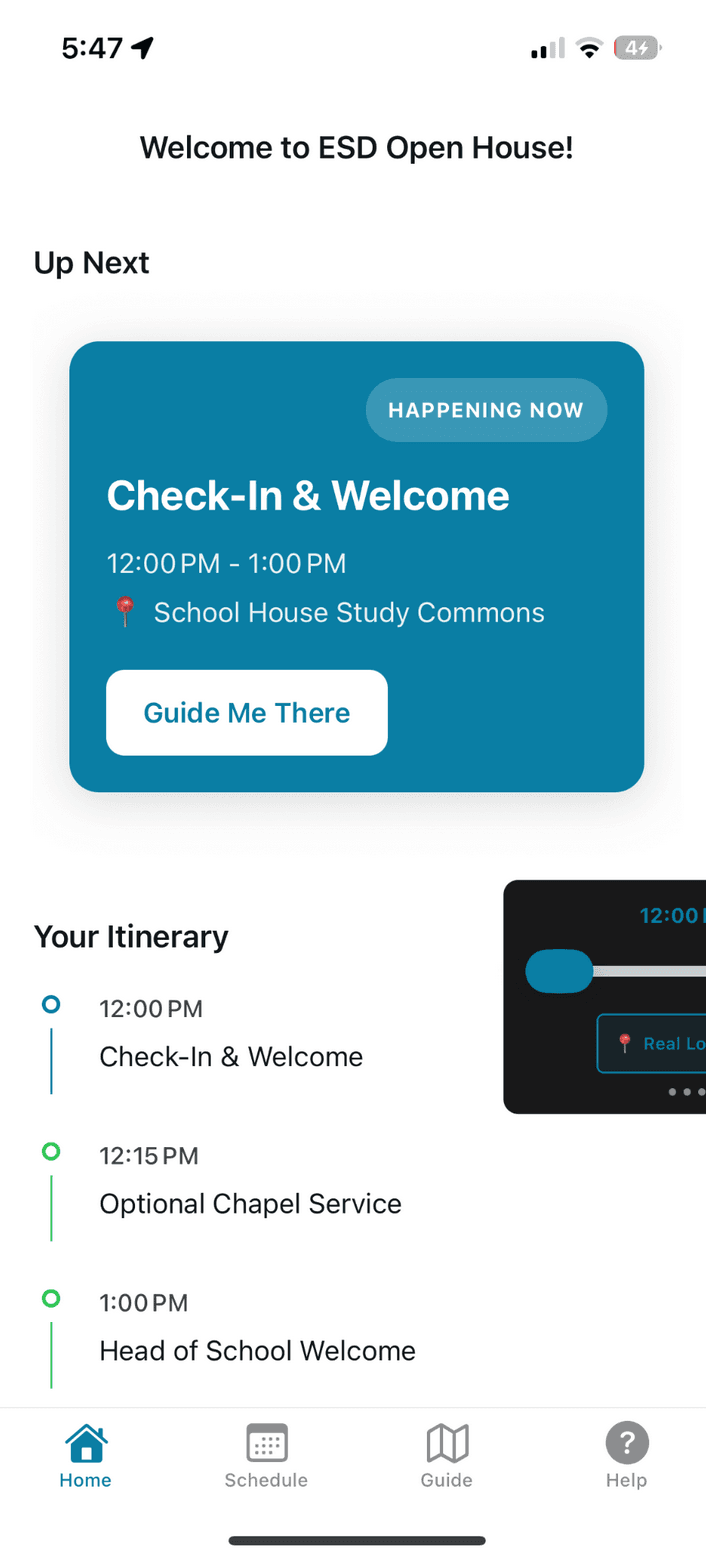
First cut. Plain, but the core product was visible: what is happening now? The day-of lesson
Families used the app at ESD's actual Open House on December 7, 2025, and I heard that they appreciated it. The schedule mattered. The map mattered. But on the actual walk up, the now-card was the app: it surfaced the current event and time, while event details showed speakers, activities, and opportunities. Everything else was reassurance for the person already moving.
Antigravity, useful and not
I used Antigravity to rebase the event dates so the app could be tested before the real Sunday. It handled the schedule swap cleanly, then got tangled when I asked it to fix the fake-time harness too. The screenshot tells the whole day: schedule.ts updated, TimeProvider and DevTimeSlider half-edited, Expo running, Android SDK warnings, and the agent terminating before the time-machine path was actually clean.
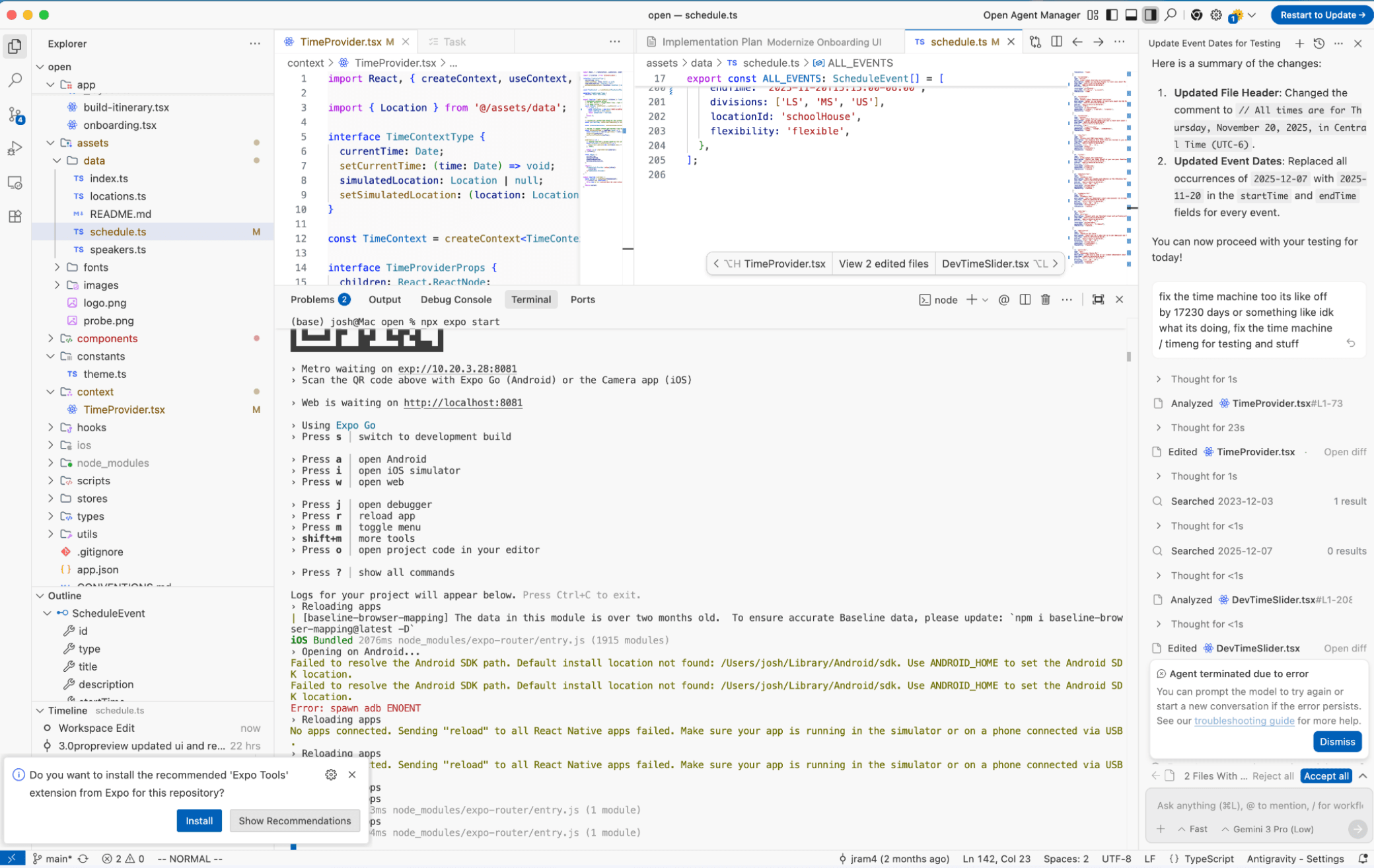
Antigravity was good at the broad date swap and brittle inside the fake-clock chain. Finished design
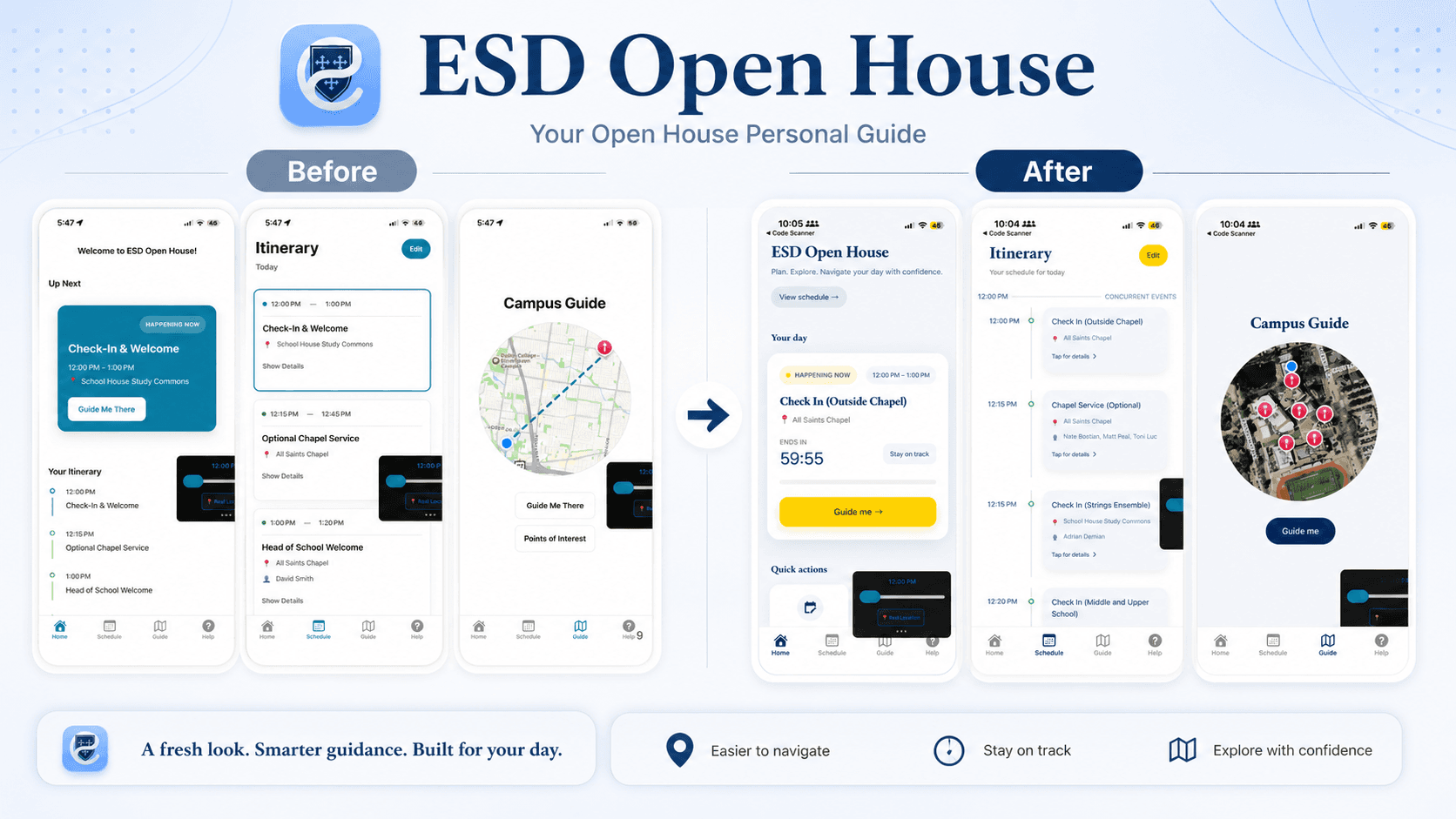
The finished design made the same product feel more like ESD. The blue serif headings, lighter cards, yellow status pill, larger navigation button, and campus map turned the original utility flow into an open-house guide.
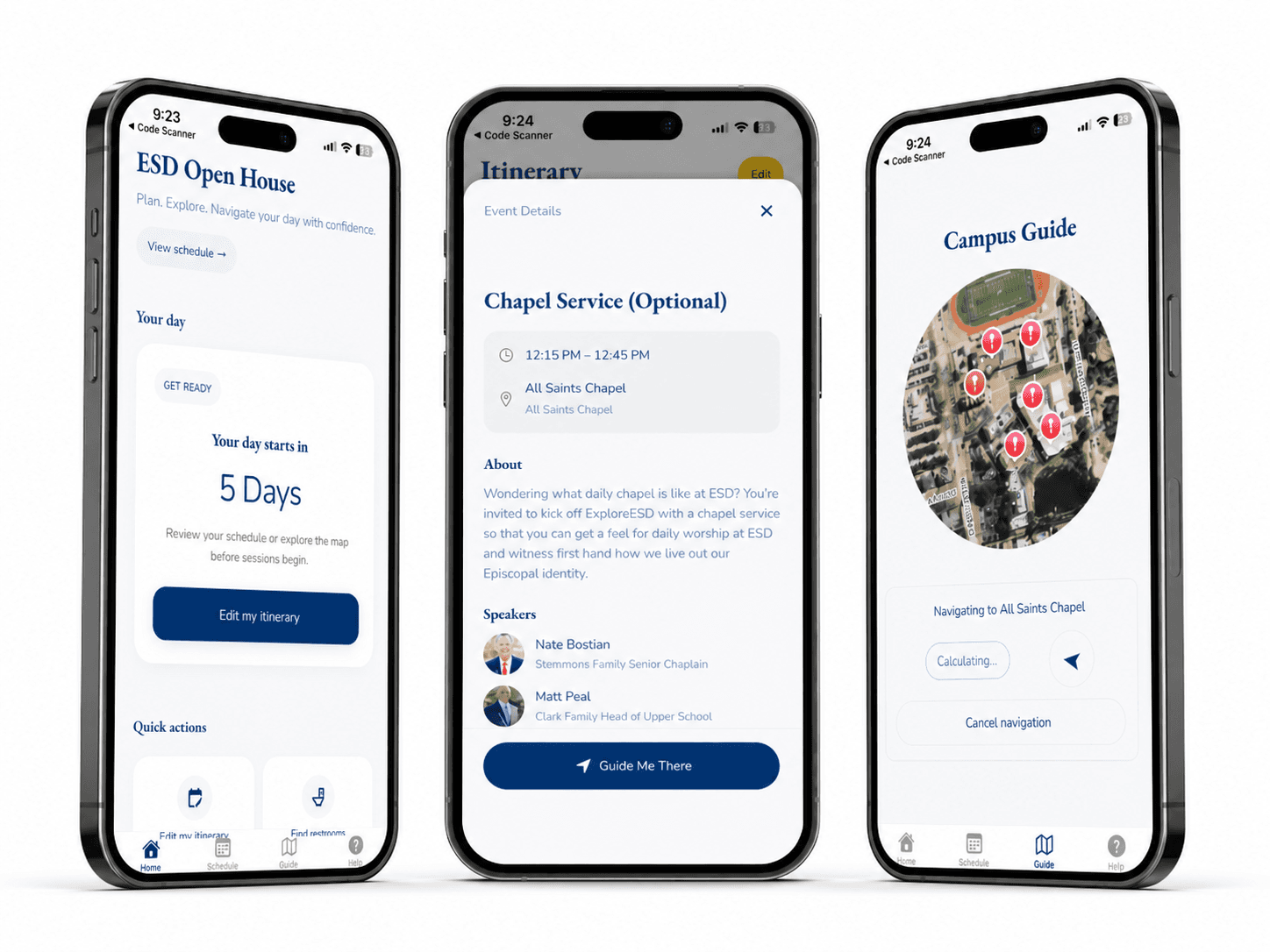
The finished design: home, event details, and guided campus navigation. Campus guide
The map view became the clearest visual upgrade. A circular satellite cutout kept the campus recognizable, red pins marked destinations, the blue dot marked the visitor, and the button copy stayed simple: Guide me.
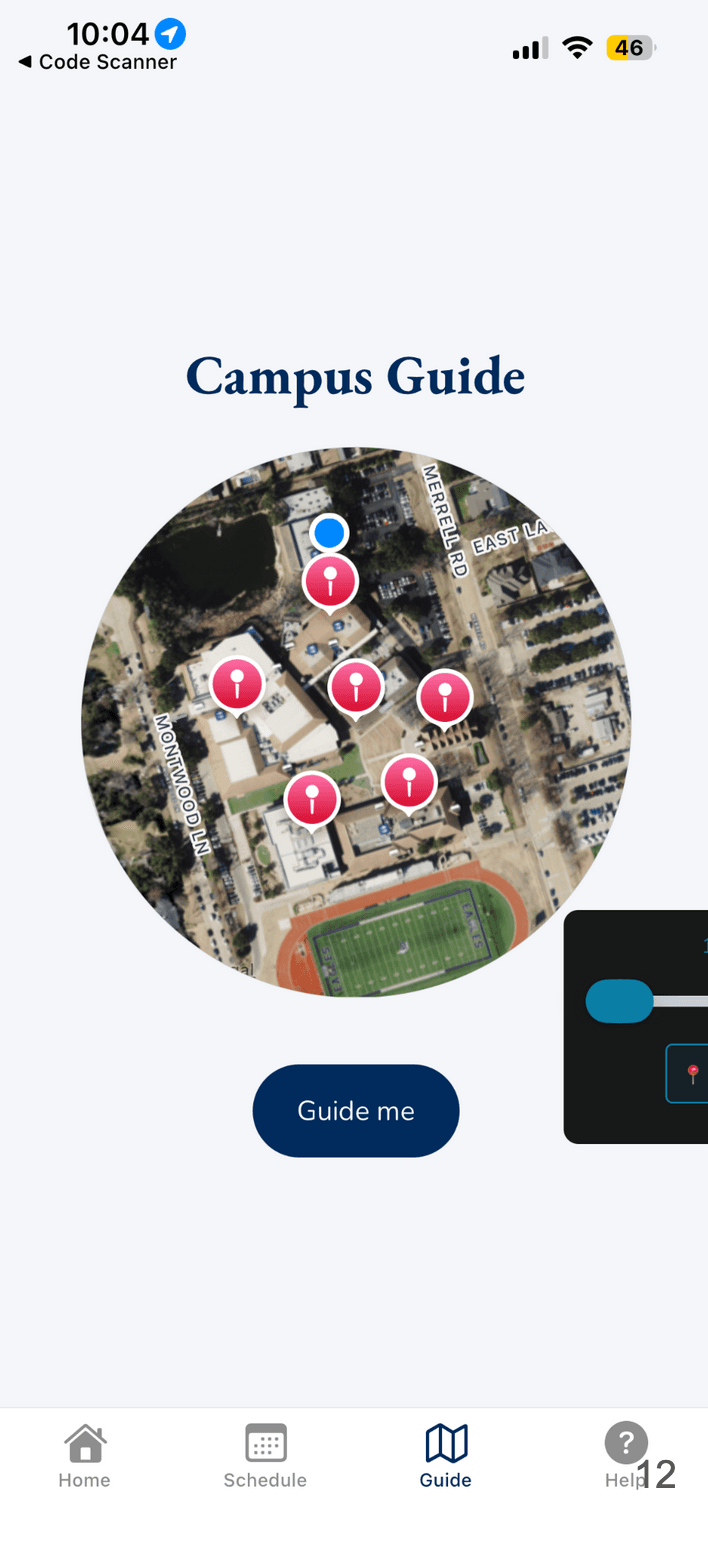
Campus Guide, redesigned: fewer controls, clearer next action.
Result
One answer for visiting families: what now, and where next.
What I learned
The open-house app worked because it respected the moment: families did not need a portal, they needed a next step. The first cut found the center of gravity with the now-card; the finished design made that same idea feel more like ESD; Antigravity helped with broad repo edits but still struggled when the change required understanding time, simulation, and Expo all at once. The product lesson was simple: make the current event impossible to miss, then make the next location one tap away.