Departure
Davis Mountains, McDonald Observatory, no bars. Spotify opens to a sad face and asks if I'd like to log in. I have a free account, the MP3s are sitting in my Files app from years of scraping, and the iPhone has known how to decode audio since 2007 — somewhere in this stack the music should already be playing. So I opened Xcode in the camper and started a Swift app whose only job was to point AVAudioPlayer at a local file and press play.
Approach
- Swift
- AVFoundation
- MediaPlayer
- MPNowPlaying
No internet at the campsite. No Spotify Premium. Audio files already on the phone. The app had to feel native enough that I would actually use it.
Field log
Drove out to the McDonald Observatory dark-sky site. Zero LTE the whole valley. Starlink dish on the picnic table covered the laptop, but the phone in my pocket was on its own — and Spotify Free won't let you play your downloads without a check-in. The MP3s were sitting in the Files app, untouched.
Sketched the whole app on one sheet of notebook paper. Five rectangular buttons, no icons, no styling. That was the spec.
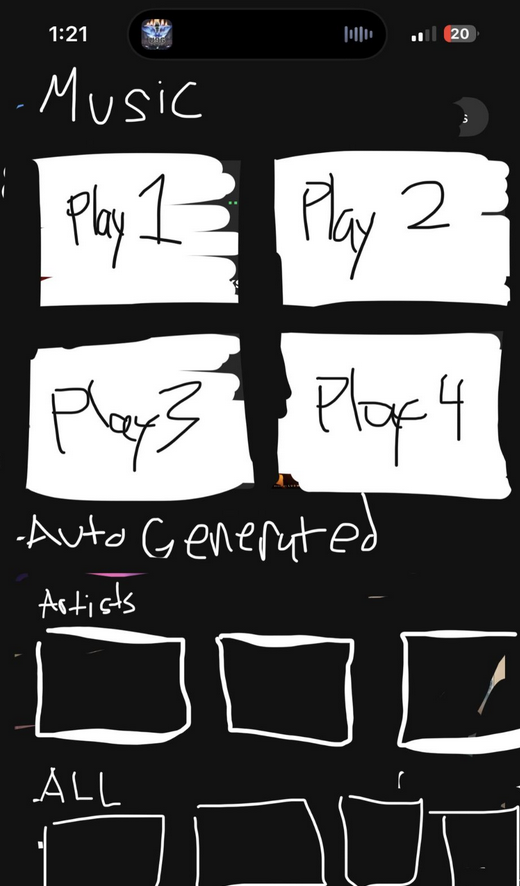
Day 1 spec. Pointed AVAudioPlayer at one bundled MP3 and called play(). Sound came out of the iPhone speaker with no router, no DNS, no account in the loop. The slide deck's 'problem' line was solved in about thirty lines of Swift.
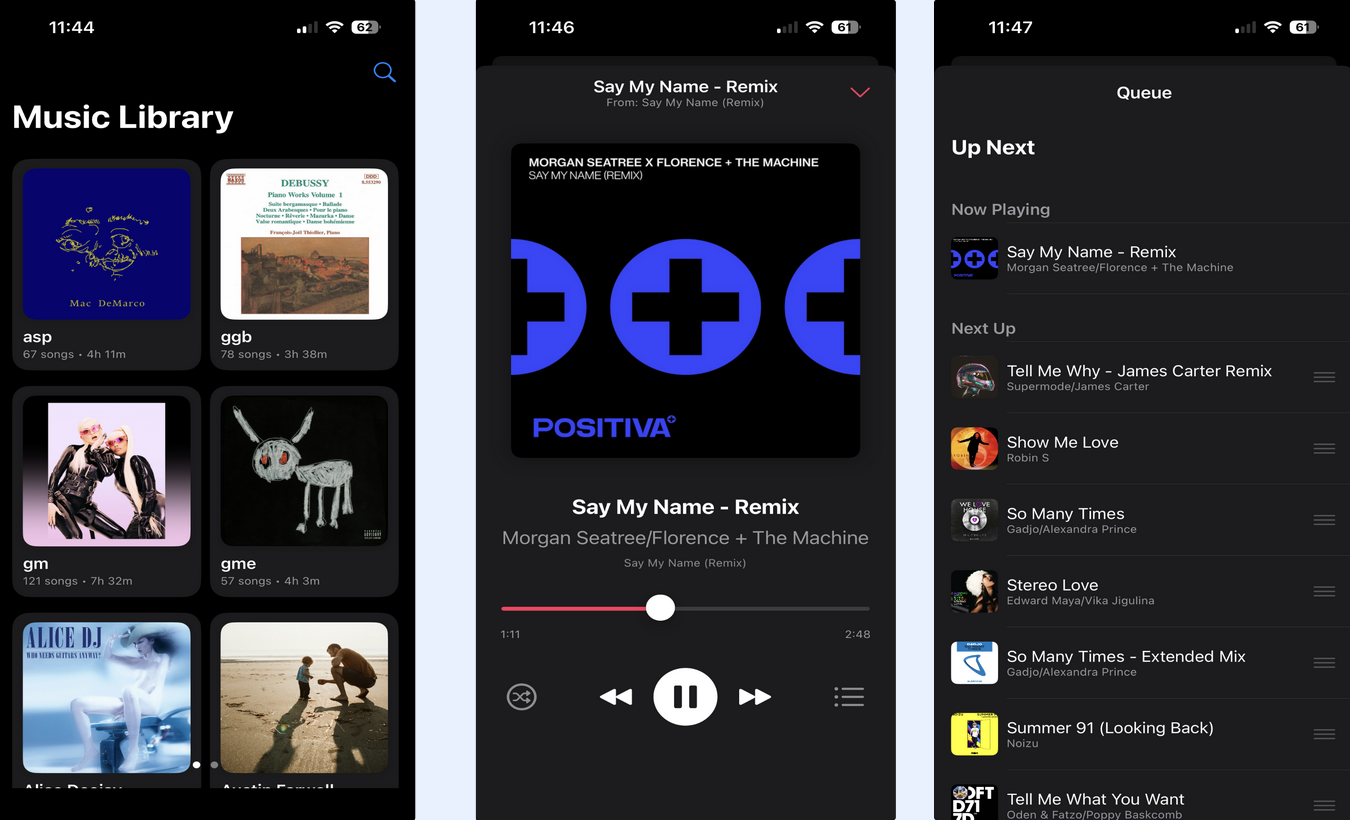
Replaced the paper buttons with a real Music Library — dark mode, square grid pulled from the file metadata. Mac DeMarco next to Debussy next to Alice DJ. Tap a cover and you drop straight into Now Playing with the right art and the right title.
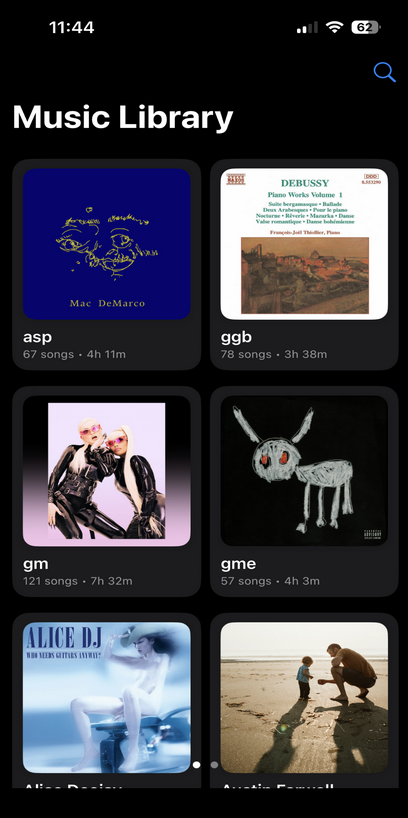
The paper boxes became a metadata-backed library. Built the Now Playing view around 'Say My Name — Remix' as the test track. The center screen in the hero was the sanity check: artwork, title, artist, elapsed time, scrubber, transport controls, and queue button all backed by AVAudioPlayer state.
Up Next list backed by a plain array the player chews through in order. Tap a song from the library and it goes to the top; queued remixes line up underneath and roll forward when the current track ends.
Pushed the current track into MPNowPlayingInfoCenter and registered play / pause / next / previous on MPRemoteCommandCenter. Lock screen suddenly showed the cover and title, the AirPods squeeze worked, and CarPlay treated it like any other audio app.
From the gallery
What I came back with
Lesson from the terrain
When the platform's answer is 'subscribe or no music,' the iPhone underneath it is still a perfectly good audio computer — AVFoundation will play any file you point it at, and MPNowPlaying will hand that playback to the lock screen and the AirPods for free. Self-hosting your own software is mostly the willingness to write the thirty lines that the SaaS layer was charging rent for. The trip did not need Spotify; it needed a binary I owned.