Departed Dec 2025
Open House App
ESD Open House · iOS app · Shipped
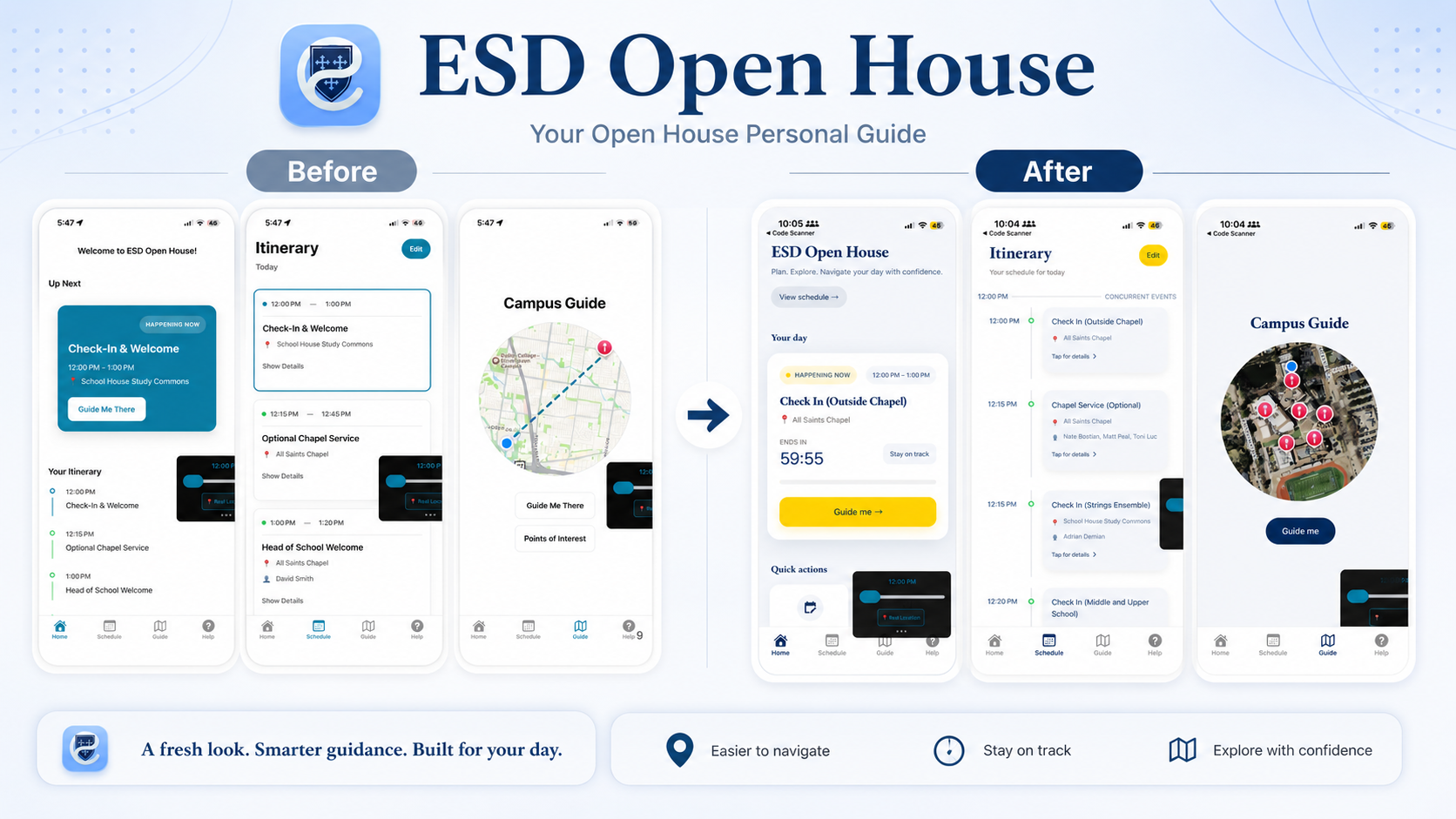
[image: Side-by-side iPhone screenshots of the Open House home screen — left: my first cut with a plain Up Next HAPPENING NOW card and Guide Me There button; right: Gemini 3 redesign with yellow HAPPENING NOW badge for Check In Outside Chapel, ENDS IN 59:55 countdown, Stay on track button, and a large yellow Guide me arrow button]
Departure
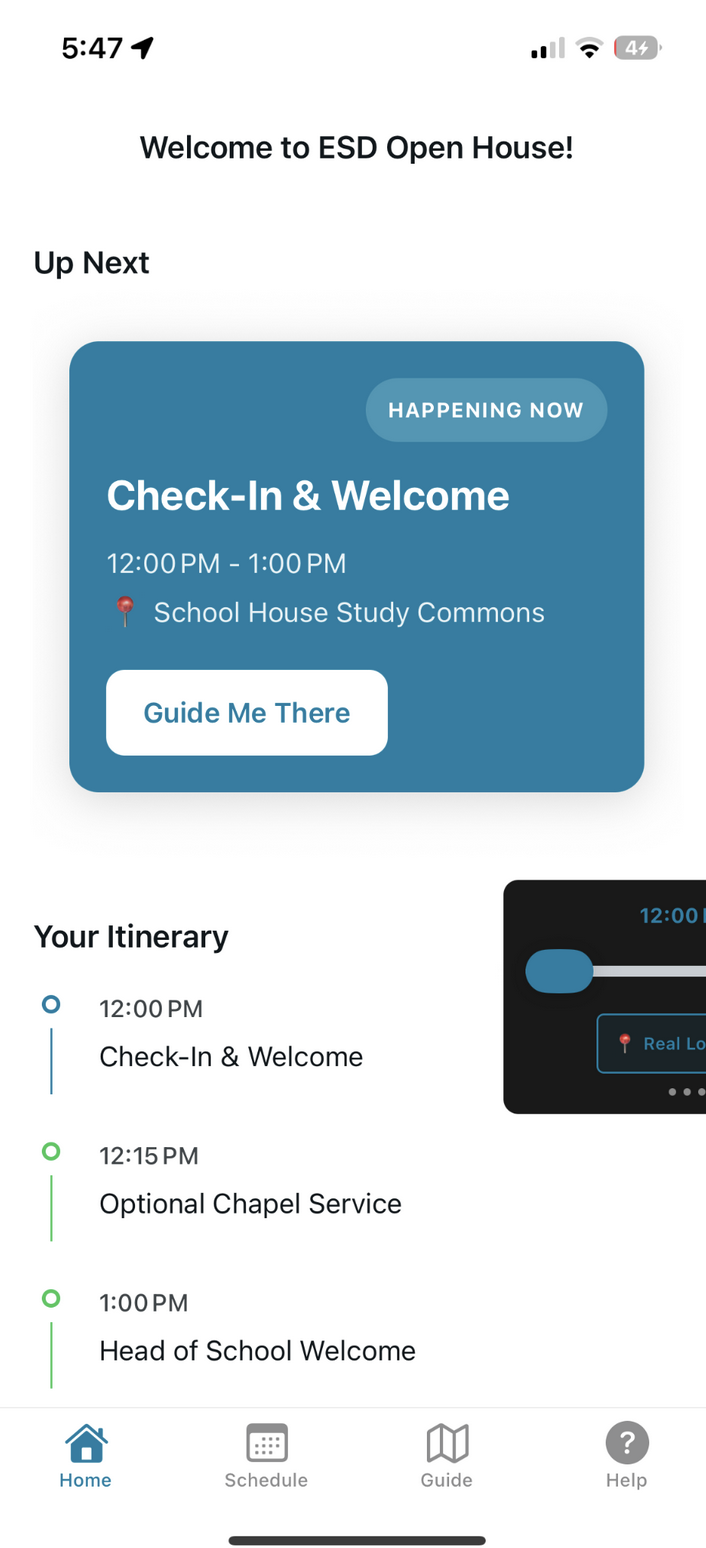
Open House Day. Visiting families come up the chapel walk holding a phone and want one answer: where am I supposed to be in the next ten minutes? I built a React Native app around three screens — a Home with a HAPPENING NOW card, a vertical itinerary, and a campus map with red pin drops and a Guide Me There flow. The whole thing keys off the wall clock, which means the only way to test it on a Tuesday is to lie to the app about what day it is.
Approach
- React Native
- Expo
- Supabase
- Gemini
One real test window — the actual open house — so the dev build needs a fake clock to rehearse against.
Field log
Early Dec 2025 — Build week
Three screens against a hard-coded schedule.ts of times for Dec 7. Bottom nav: Home, Schedule, Guide, Help. The HAPPENING NOW card is the whole product; the other two screens are reassurance.
[image: iPhone home screen of the first cut: 'Welcome to ESD Open House!' with an Up Next card highlighting Check-In & Welcome HAPPENING NOW 12:00 PM – 1:00 PM at School House Study Commons, a Guide Me There button, and a vertical Your Itinerary timeline below]
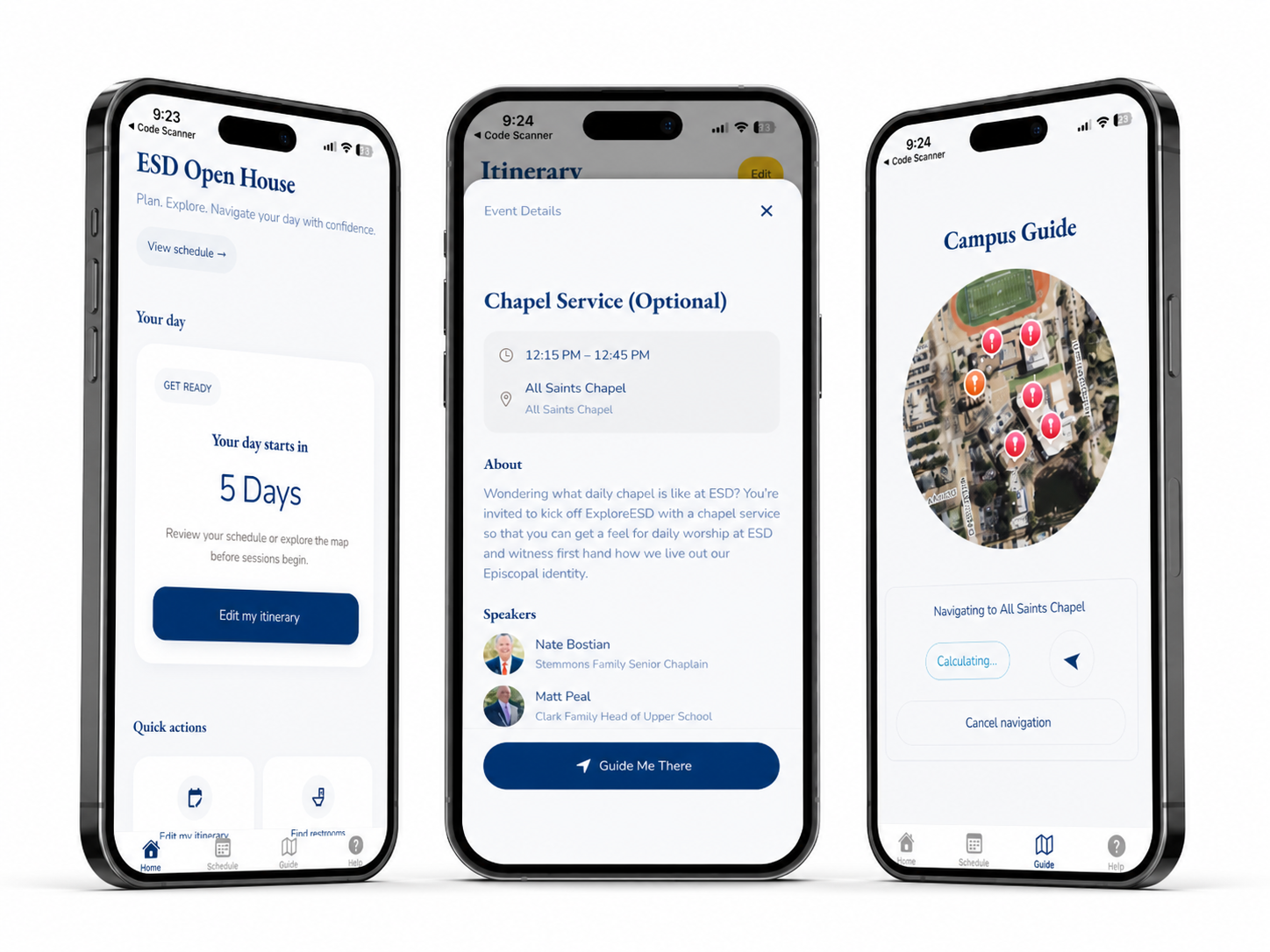
First cut. Functional, plain, reads top to bottom. [image: iPhone Campus Guide screen: a circular map of the ESD campus with several red pin drop markers, Guide Me There and Points of Interest buttons below, and a bottom nav with Home, Schedule, Guide, Help]
Map and pins. Useful, but not where the eyes go. Day-of, chapel lawn
Phone in hand on the walk up. Map worked. Itinerary worked. Every parent I watched only ever looked at the now-card.
A clock you can lie to
Wrapped the app in a TimeProvider plus a DevTimeSlider so I could scrub to 12:15pm on a Wednesday and watch the Up Next card flip from Check-In to Chapel without waiting for Sunday.
[image: Dev build of the Open House app with a translucent DevTimeSlider pinned over the home screen, scrubbed to 12:15 PM on a weekday, with the Up Next card mid-transition from Check-In to Optional Chapel Service]
DevTimeSlider — the rehearsal harness. Antigravity, the date swap
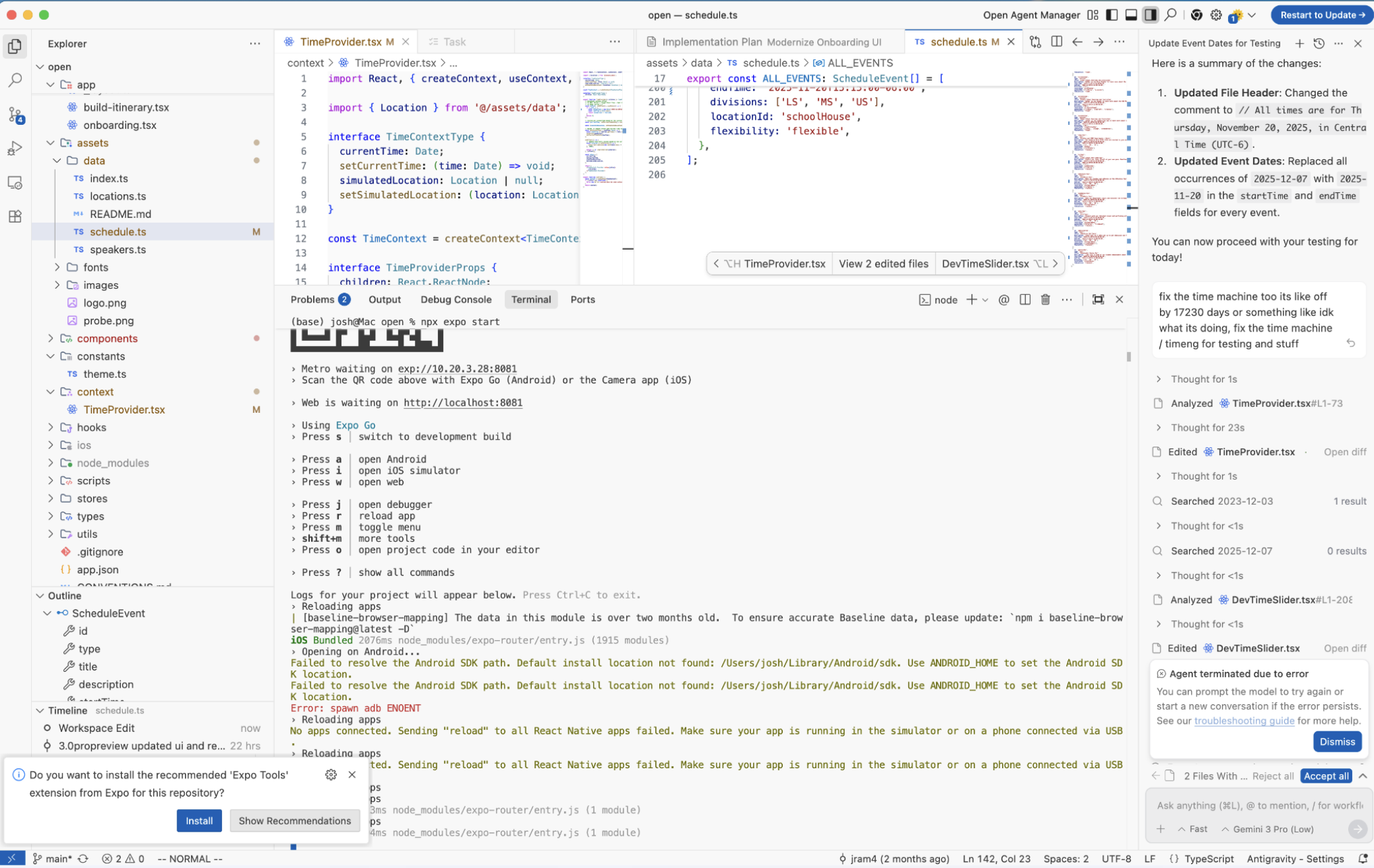
Pointed Google Antigravity at the repo to rebase the schedule on a weekday I could actually test. It walked the file, rewrote 2025-12-07 to 2025-11-20 across every startTime and endTime, and updated the header comment to match.
[image: Google Antigravity IDE: file tree on the left with schedule.ts highlighted, a diff view of schedule.ts swapping 2025-12-07 for 2025-11-20 across every event, an Expo terminal at the bottom, and an AI agent panel on the right summarizing the date update for testing]
Antigravity, swapping every date in one pass. Antigravity, the timer chain
Asked it to fix the dev clock too — said it felt off by ~17230 days. Watched the chain march: analyzed TimeProvider → edited TimeProvider → searched 2023-12-03 → searched 2025-12-07 → analyzed DevTimeSlider → edited DevTimeSlider → searched 17230 → analyzed build-itinerary → 'Agent terminated due to error.' Half-rewired and walked off the job.
[image: Antigravity agent panel showing the long thinking chain — Analyzed TimeProvider.tsx, Edited TimeProvider.tsx, Searched 2023-12-03, Searched 2025-12-07, Analyzed DevTimeSlider.tsx, Edited DevTimeSlider.tsx, Searched 17230, Analyzed build-itinerary.tsx — terminated by a red 'Agent terminated due to error' popup]
Eight steps deep, then the popup. Gemini 3 redesign
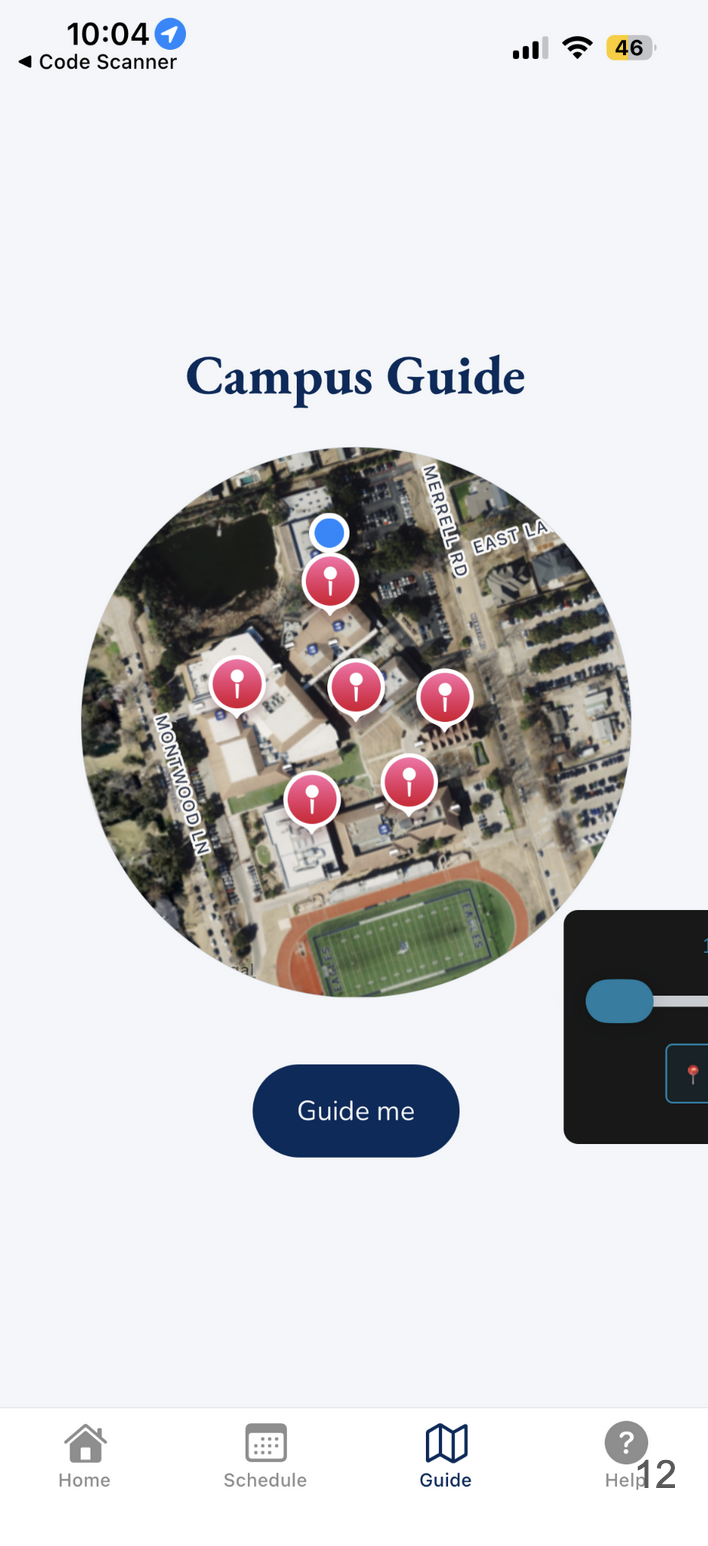
Pointed Antigravity at the same repo and asked for a modern pass. Got back a yellow HAPPENING NOW badge, an ENDS IN 59:55 countdown, a Stay on track button, a giant yellow Guide me arrow, and a circular satellite cutout for the map with sleeker pins and a blue you-are-here dot. Better than what I shipped.
[image: iPhone home screen of the Gemini 3 redesign: 'ESD Open House. Plan. Explore. Navigate your day with confidence.' Your day card with a yellow HAPPENING NOW badge for Check In (Outside Chapel) 12:00 PM – 1:00 PM, large ENDS IN 59:55 countdown next to a Stay on track button, big yellow Guide me arrow button below, Quick actions section starting underneath]
The redesigned now-card. Same job, louder.
From the gallery
[image: iPhone Itinerary screen of the Gemini 3 redesign: 'Your schedule for today' as a clean vertical timeline with connecting lines and circles between events at 12:00 PM Check In, 12:15 PM Chapel Service, 12:15 PM Check In, 12:20 PM Check In]
[image: iPhone Campus Guide screen of the Gemini 3 redesign: a circular satellite-view cutout of the ESD campus with sleeker red pin markers and a blue 'you are here' dot, dark blue Guide me button below]
[image: iPhone Itinerary screen from the original first cut: a flat list of three events — Check-In & Welcome 12:00 PM – 1:00 PM, Optional Chapel Service 12:15 PM – 12:45 PM, Head of School Welcome 1:00 PM – 1:20 PM — with the iOS volume HUD overlaid, indicating an unedited phone screenshot]
What I came back with
Live on open-house day
Lesson from the terrain
Event software collapses to one question — what's NOW? — and every other surface is just there to reassure the parent who's still staring at the now-card. Gemini 3 in Antigravity can re-imagine a UI in a single pass and hand back something better than what I'd ship, but a long agentic edit chain through TimeProvider → DevTimeSlider → build-itinerary can also crash with the timer half-rewired. The redesign landed; the time-machine fix didn't.
Cross-links
This fed into / from