Departure
I wanted a computer that did not go to sleep when I closed the laptop. Something reachable from school, home, or my phone. Something free. Oracle's Always Free tier had the shape I wanted if I could get one: ARM cores, real RAM, real storage, and no monthly bill. The visible payload was a Minecraft server my friends could join whenever; the real payload was learning what it takes to keep something running somewhere.
Approach
- Oracle Cloud ARM A1
- Ubuntu
- Tailscale
- SSH keys
- tmux
- PaperMC
$0 budget, school firewall in the path, and no tolerance for a server that dies when my laptop closes.
Field log
The first shift was mental. My code was no longer on the same desk as me. The laptop was in Dallas, the box was hundreds of miles away, and the only thing between them was a chain of credentials, networks, and processes I had to understand well enough to trust.
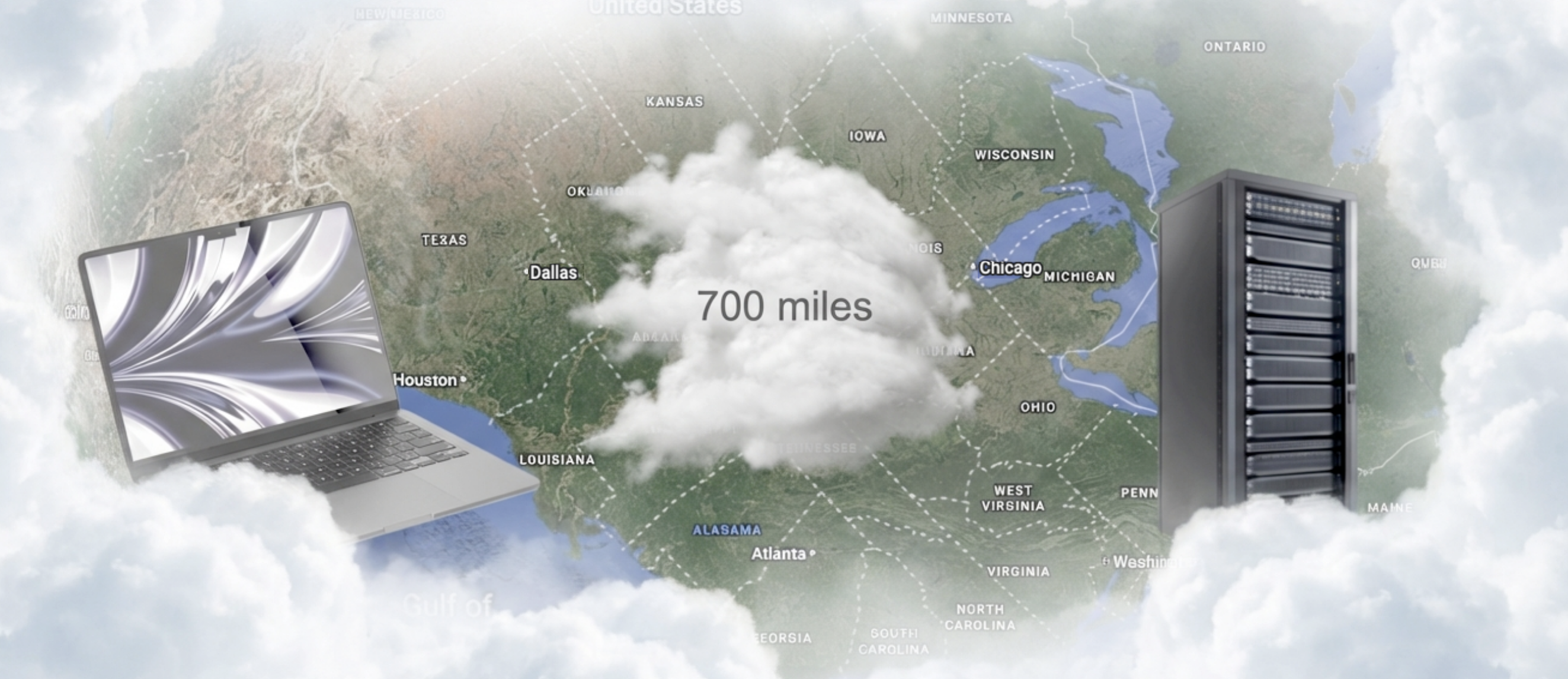
A laptop here, a machine somewhere else, and 700 miles of internet in between. Oracle's free ARM shape is the deal: 4 OCPU, 24GB RAM, 200GB storage, billed at zero. Getting it is the fight. Capacity errors, retrying availability domains, waiting, retrying again. When the stack finally turned green as oram-A1-Server, the project became real.
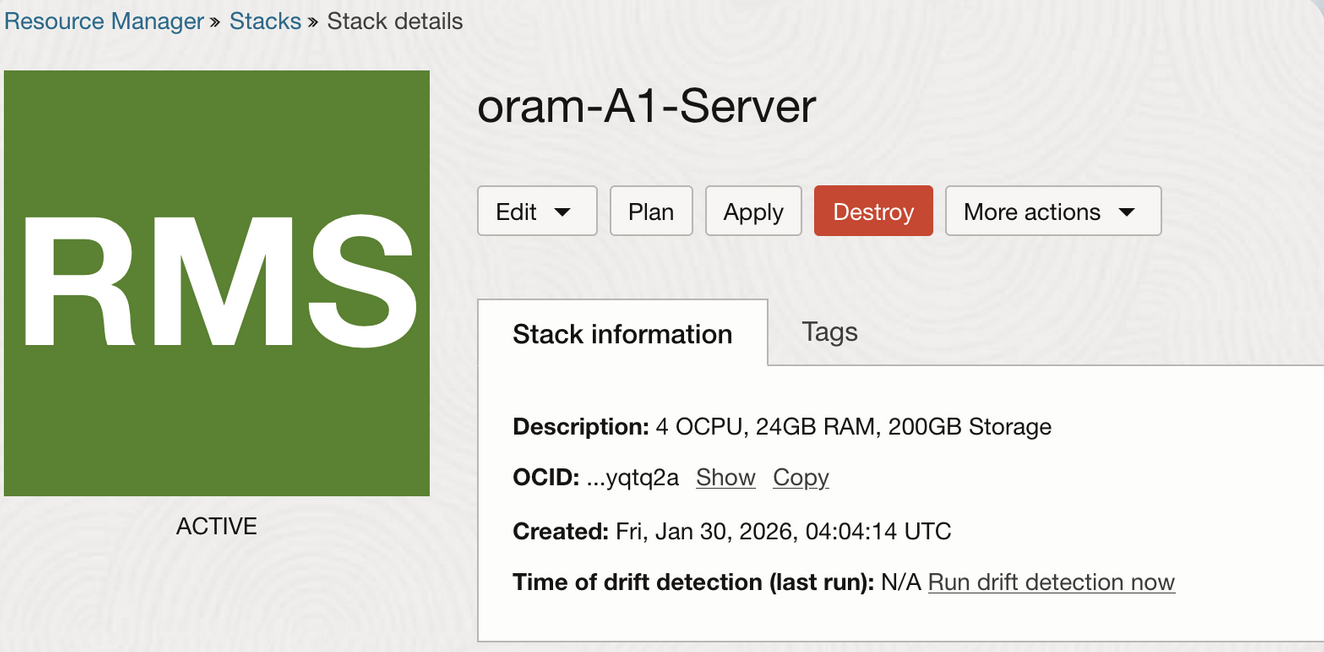
The free-tier box, active: 4 OCPU, 24GB RAM, 200GB storage. The naive plan was obvious: laptop to router, through the school firewall, across the public internet, into the Oracle server. It failed in every predictable place. Private IPs, NAT, open ports, public addresses, firewall policy. Every layer was technically doing its job, and none of it helped me get a shell.
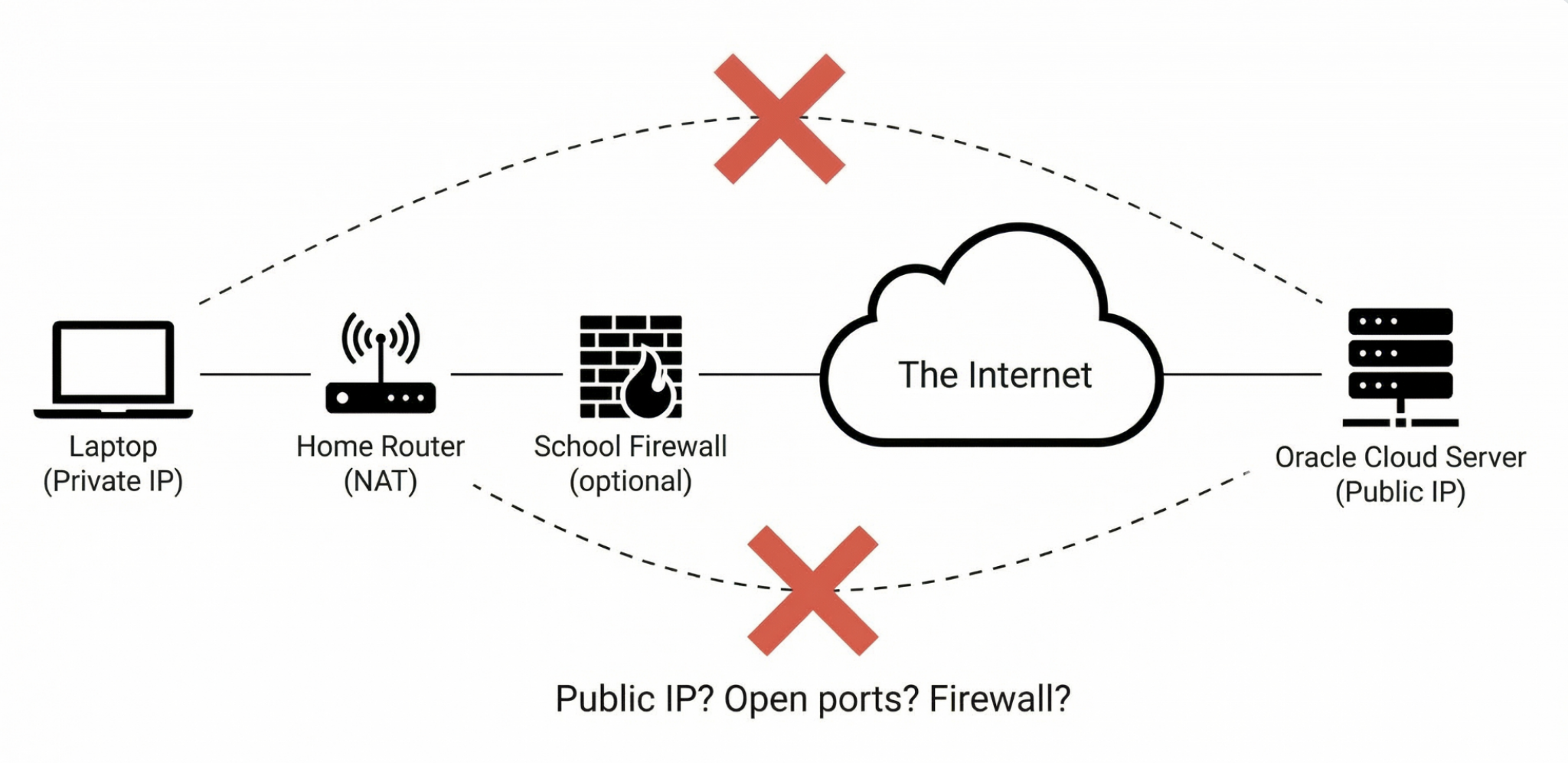
The direct route was a pile of edge cases pretending to be a path. Tailscale made the network problem smaller. Install it on the server, install it on the laptop, approve both devices, and the public route stops mattering. SSH could target a stable tailnet name instead of whatever the firewall allowed that day. The mesh became the one network I could reason about.
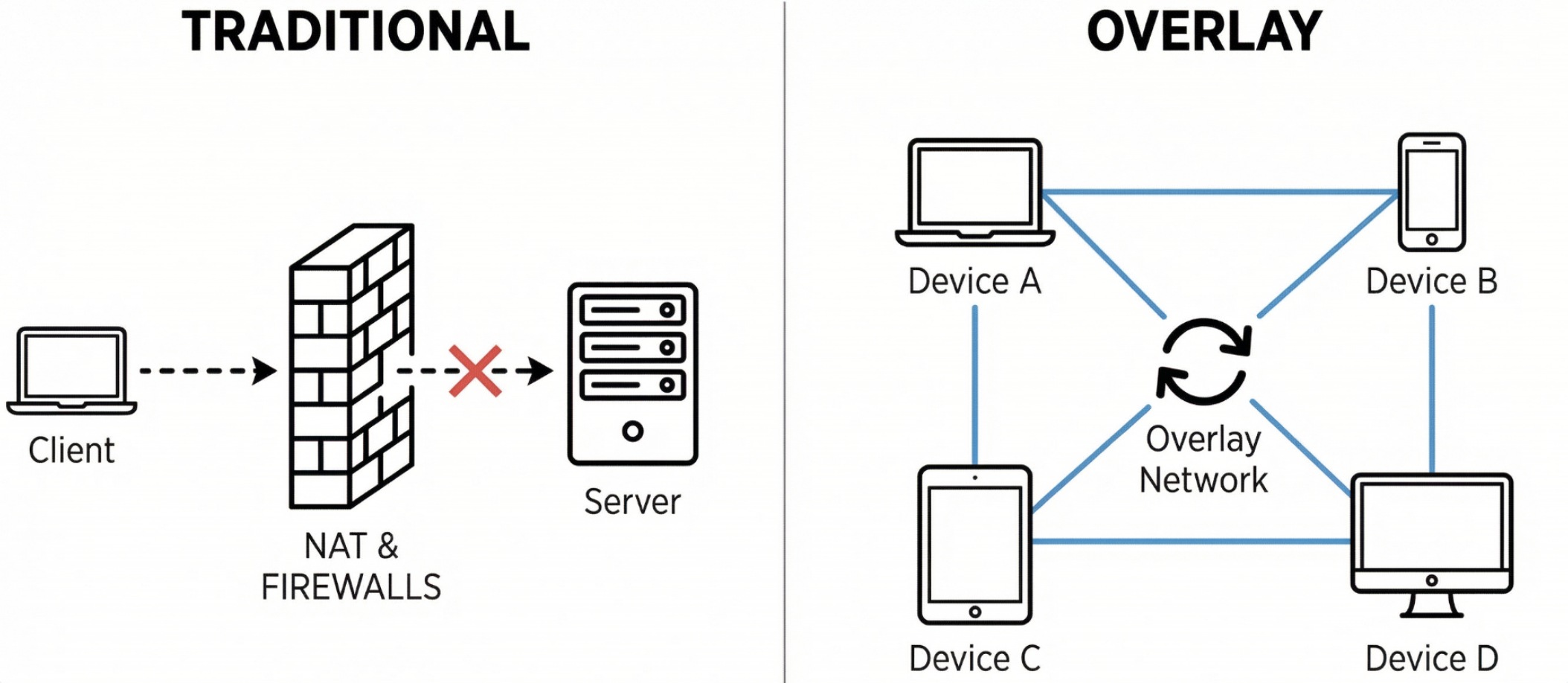
Traditional path: blocked. Overlay path: devices by name. SSH got me into the machine, but it did not make anything persistent. First long-running process died the moment the session died. That was the tmux lesson: the shell is not the server. Run the process inside a session that survives you leaving, then detach and come back to the same cursor later.
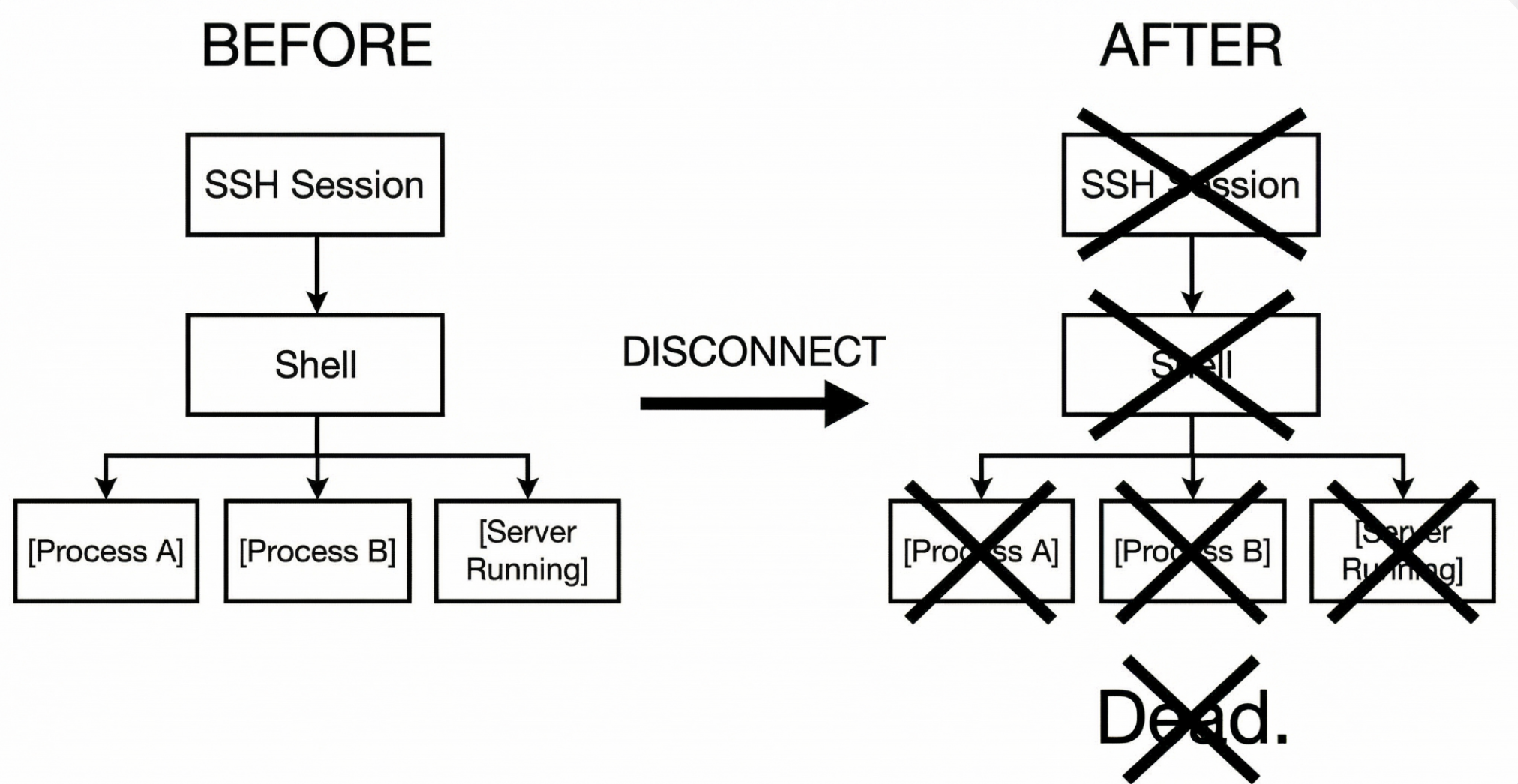
Without tmux, disconnecting was not leaving. It was killing. By the end, the project was not one tool. It was a stack: Oracle ARM A1 as hardware, Ubuntu as the headless OS, Tailscale as the mesh, SSH keys as identity, Vim and Neovim for editing on the box, tmux for persistence, and the app running inside that session. Each layer handled one kind of failure.
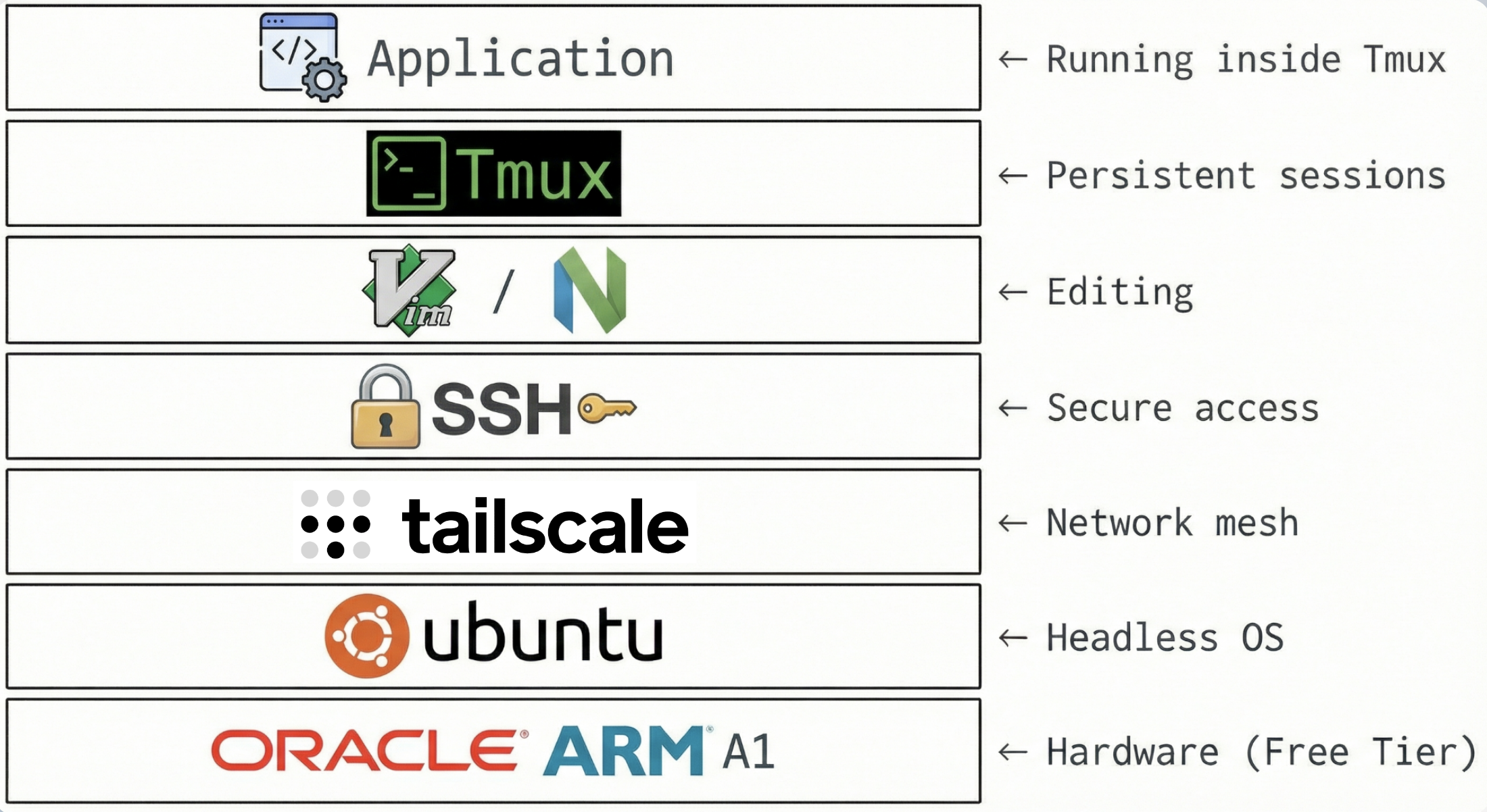
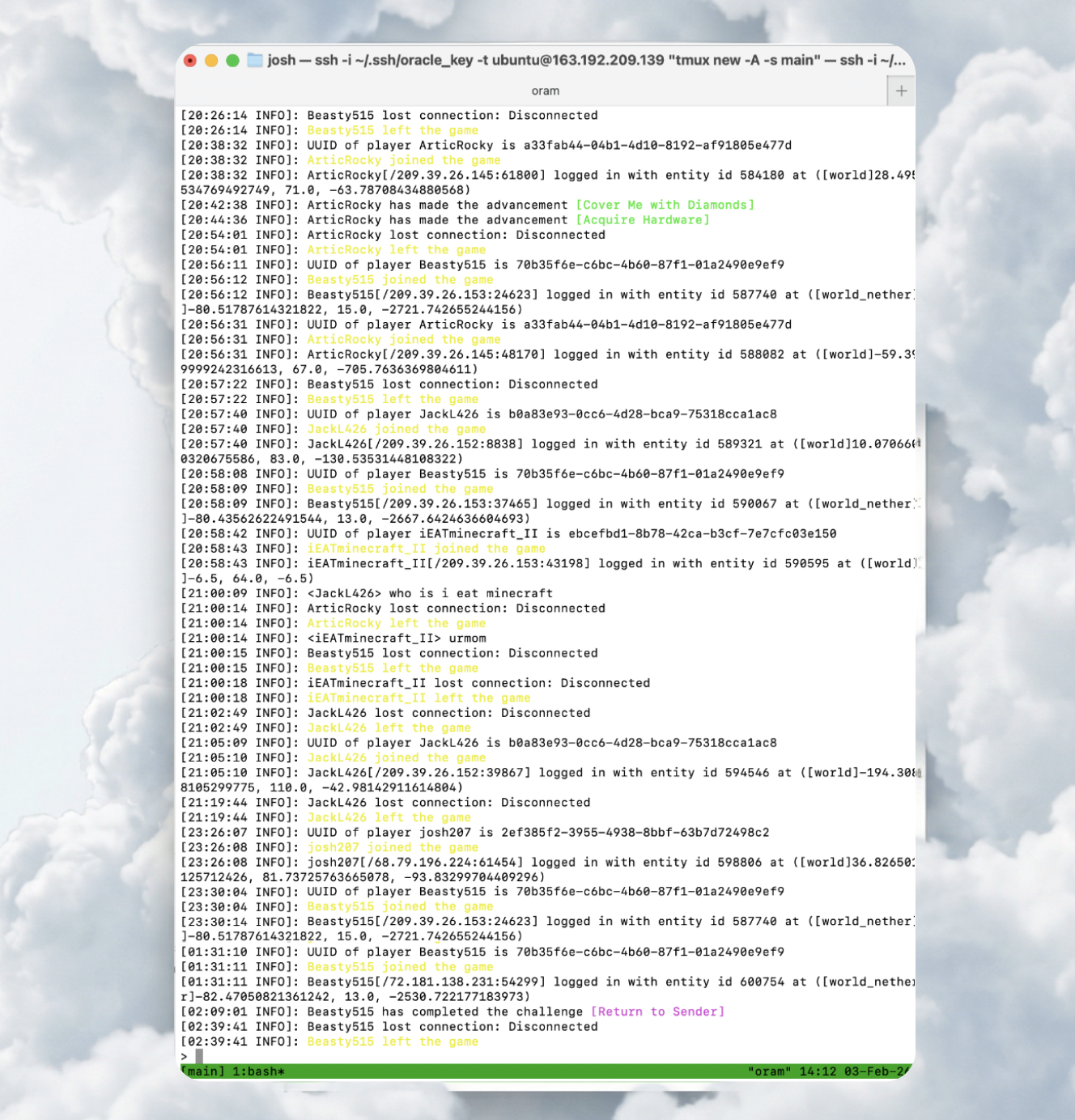
The whole lesson as a layer cake. PaperMC ran inside tmux on the Oracle box. Friends joined, disconnected, crossed dimensions, completed achievements, and came back later. I could watch the logs, detach, walk away, and reattach. Oracle billed $0.00. Tailscale billed $0.00. The world kept ticking because I was no longer in the critical path.
From the gallery
What I came back with
Lesson from the terrain
Always-on is mostly about removing yourself from the path. The server should not need my laptop awake, my network open, or my terminal attached. Oracle gave me the machine, Tailscale made it reachable, SSH keys made it mine, tmux kept the work alive, and the Minecraft logs proved the stack was doing its job. Every error along the way was not a wall; it was the next layer I had to understand.