Departure
APUSH review videos run an hour and the one sentence I needed about the Louisiana Purchase was buried somewhere around minute 32. ClipChat — my first attempt — was a chat box stapled to YouTube with no real search and no instinct for where in the video the answer lived. Palo was the rewrite: inject a sidebar into the YouTube DOM, scrape the transcript, hand it to Gemini, and get back a three-sentence summary with a clickable [02:19] that drops the playhead exactly there.
Approach
- Manifest v3
- JavaScript
- Gemini
- ExtPay
- GitHub Pages
Chrome extension — content script can touch the DOM but not Chrome APIs, background service worker holds the keys and the quota, transcript has to be scraped because YouTube doesn't expose it.
Field log
Drowning in video content. YouTube has billions of videos and finding the right one is only half of it — locating the one specific minute inside the video is the part nobody solved. Scrubbing, skimming, pausing, repeating. The whole point of the next thing I built had to be that motion.
Simple chat interface inside YouTube, powered by an LLM, answers questions from the transcript. Built it for APUSH note-taking. The early concept lived on grid paper before it lived in code.
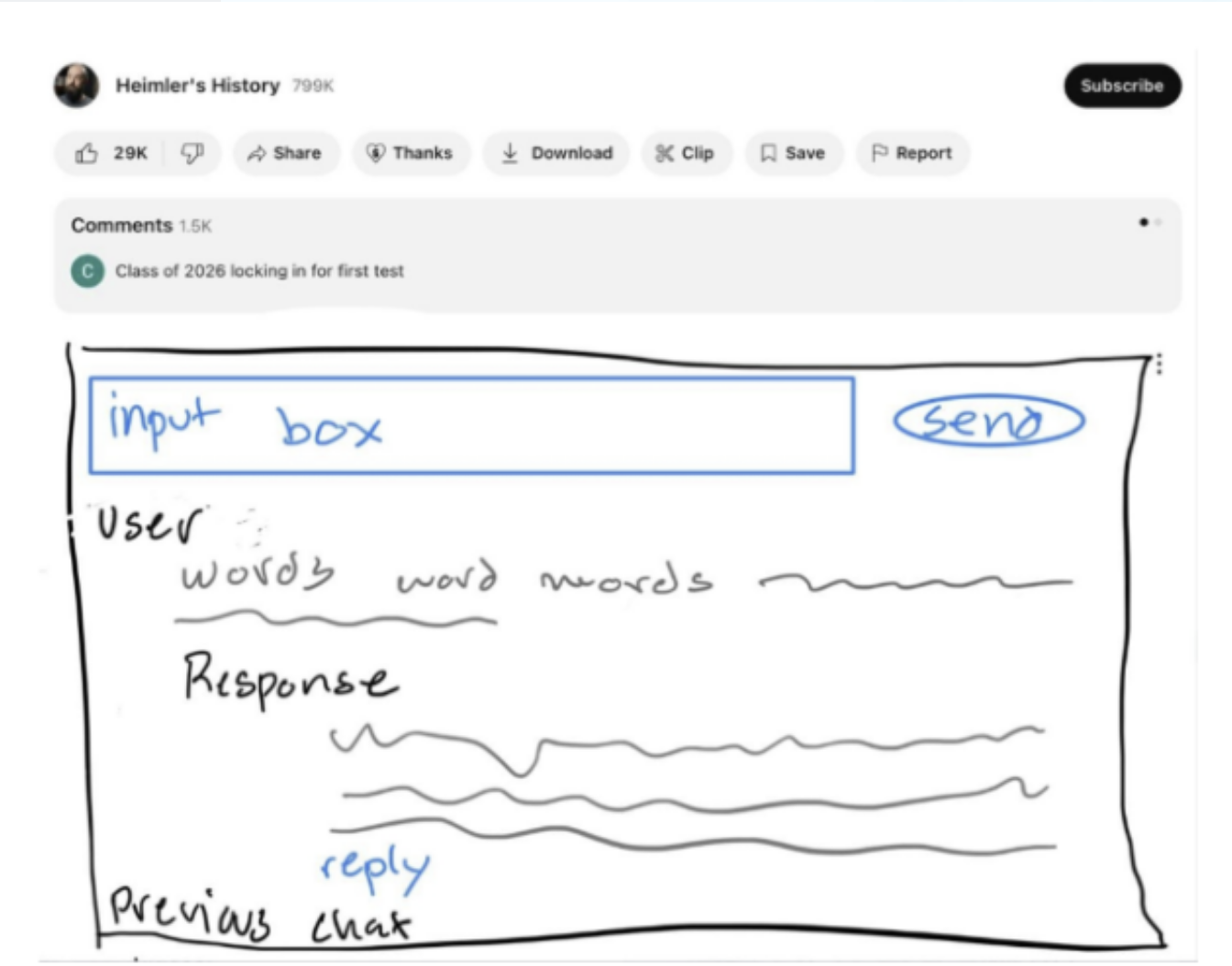
First pass: a chat box sketched directly under YouTube. The UI/UX was clunky. The core thing — searching inside the video — wasn't intuitive or effective. No real users, no data telling me what to fix. I shelved it.
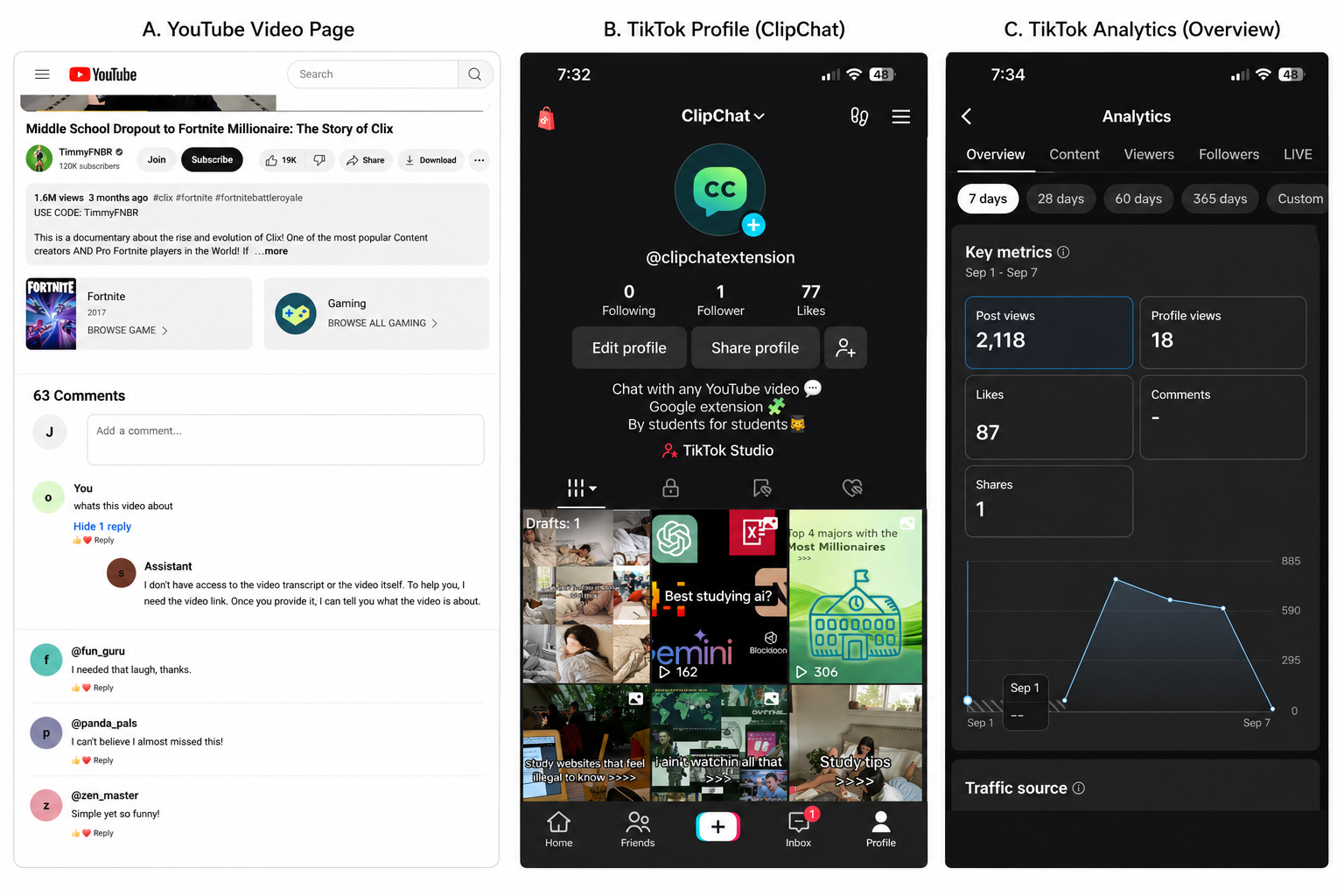
ClipChat had a demo, a TikTok account, and no real product loop yet. Different modes, better searching, better interface. A sidebar that didn't fight the YouTube layout, with a 'chat' tab and a 'search' tab that returned timestamped results.
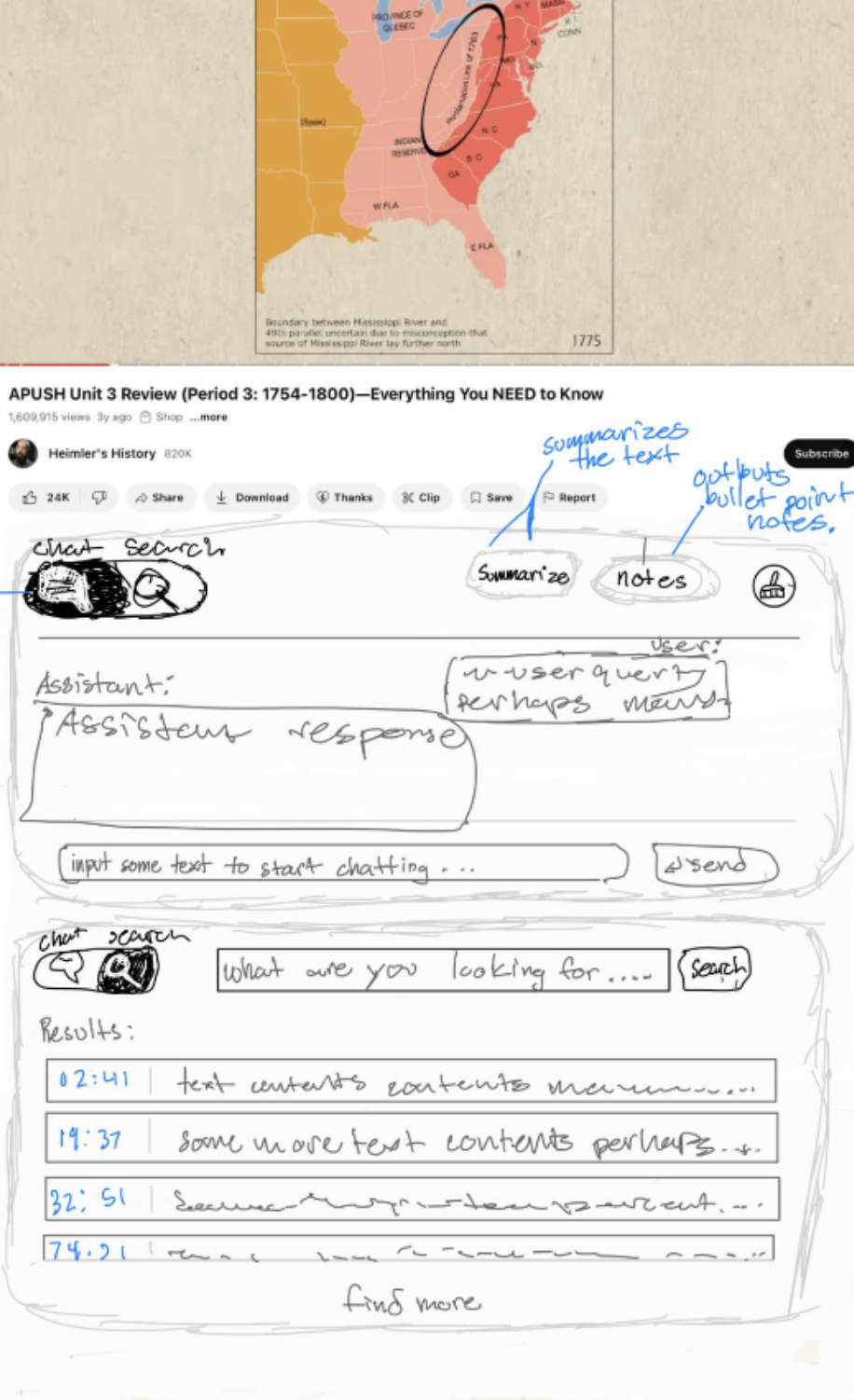
The second sketch finally had the thing Palo needed: search results tied to timestamps. Instant summaries, ask questions, jump to key moments — all without leaving the YouTube interface. Same APUSH Unit 4 video as before, but this time the assistant tells me the Louisiana Purchase was a big win for America that put Jefferson in a constitutional bind, and hands me [02:19] as a link.
Architecturally Palo is a syringe, a YouTube, and a Gemini. The content script injects the sidebar box into the DOM. It fetches the transcript of the current video. Whenever you prompt it, it bundles the transcript and the question and hands it to the Gemini API.
manifest.json holds the metadata — name, version, permissions, file list. content.js runs inside the page and can touch the DOM but can't talk to Chrome APIs. background.js (service-worker.js, in MV3) sits behind everything, talks to chrome.* APIs, and answers messages the content script sends it. Plus the auxiliary files: a guide.html that walks people through getting their own Gemini key if they want to, an options.html for settings, a plans.html for the paid tier.
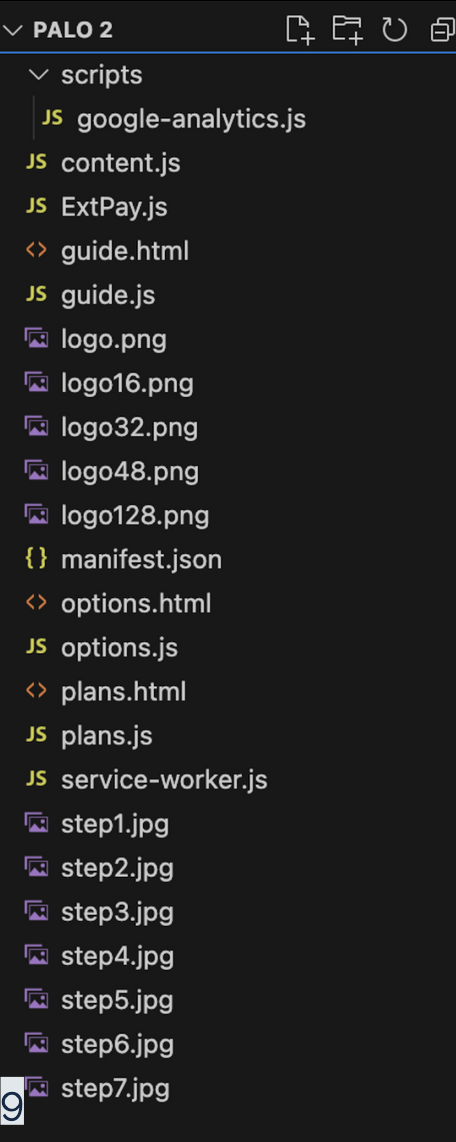
The extension shape in one file tree: content, worker, options, plans, guide, and assets. The Gemini prompt is a stack of pseudo-XML tags — system_prompt, output_style, timestamp_guide, timestamp_formatting, video_metadata, video_transcript, chat_history, user_message. The model gets a persona (friendly YouTube assistant named Palo), a strict format rule for timestamps ([mm:ss]), the full scraped transcript with metadata, the running chat, and finally the new question. Lock the format, then let it talk.
![Dark-themed code editor showing a JavaScript template literal called format_prompt — pseudo-XML tags <system_prompt>, <output_style>, <timestamp_guide>, <timestamp_formatting>, <video_metadata>, <video_transcript>, <chat_history>, <user_message> — inside, instructions to keep responses short and conversational and to format every timestamp as [mm:ss]](/journal/palo/gemini-format-prompt.png)
The Gemini prompt was structured like a tiny contract. A regex .replace finds every [mm:ss] in the assistant's response, converts it to total seconds, and rewrites it as an <a> with an onclick that grabs the page's <video> element and sets video.currentTime. A second .replace chain converts asterisks and \n into <strong>, <em>, <br>. The output is a chat bubble where every cited time is a real link into the video.
![Dark-themed code screenshot showing JavaScript response.replace logic for [mm:ss] timestamps — it calculates total seconds, builds a YouTube URL, emits a clickable message-timestamp anchor that sets video.currentTime, then converts bold, italic, and newline markdown into HTML](/journal/palo/clickable-timestamp-replace-code.png)
Regex turned model citations into real jumps inside the video. service-worker.js became the control room: analytics events, tab reloads, paid-user checks through ExtPay, Stripe opens, quota resets, and options/plans routing all lived behind one message listener. The content script handled the page; the worker handled everything Chrome cared about.
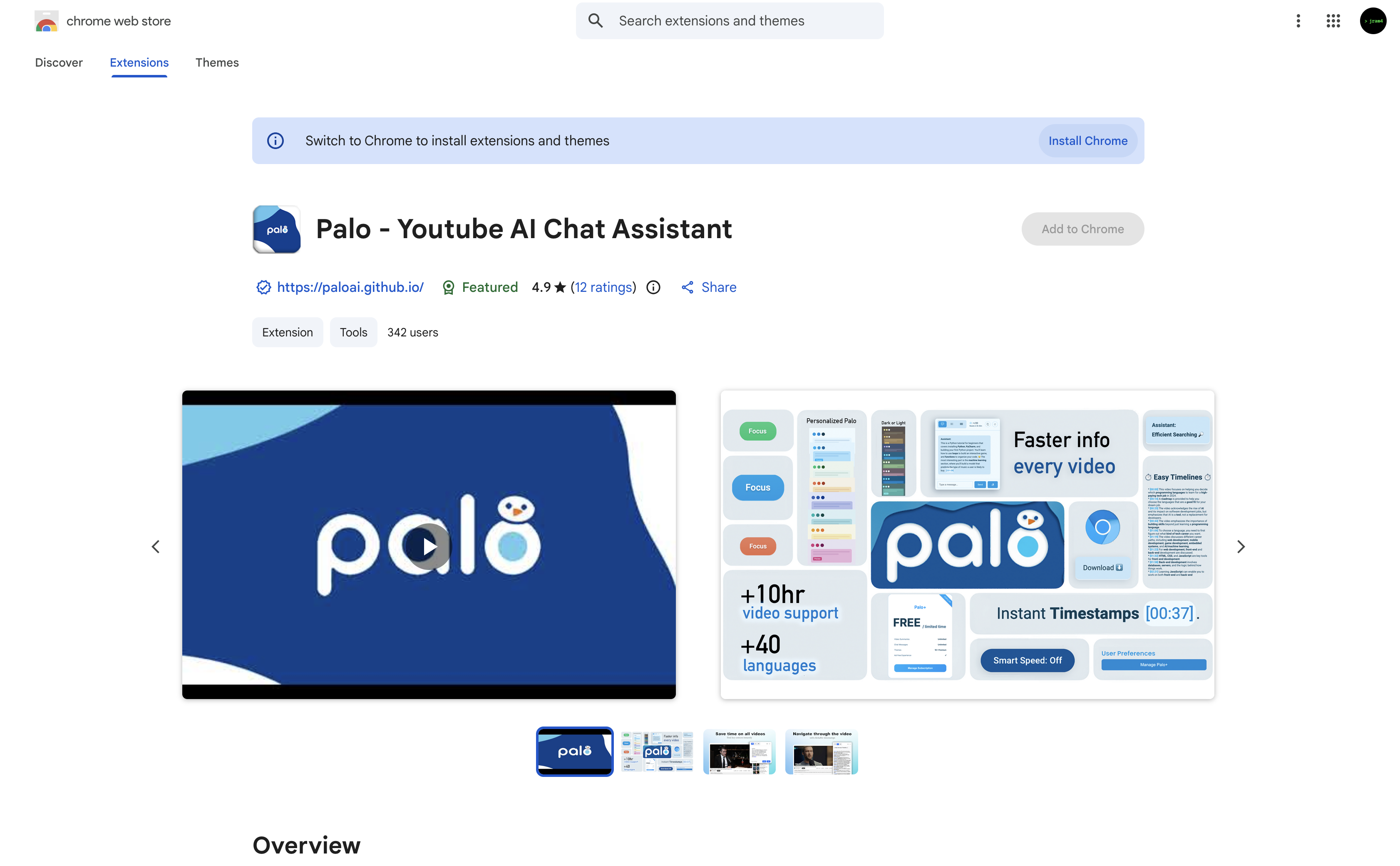
Listing for 'Palo - Youtube AI Chat Assistant'. Icon, website, promo video, feature screenshots, a Featured badge, 4.9 stars across 12 ratings, and 342 users. The part nobody warns you about: every host permission and every storage permission still needs a written justification — fetching analytics IDs, user preferences, API keys, the context of the YouTube video the user is watching.
The listing after it had enough signal to stop feeling theoretical. paloai.github.io. Blue curved header, the Palo logo and bird mark, five yellow stars and a 5.0 rating, a white 'Install on Chrome' button next to a blue 'Learn More'. Below that, a screenshot of the extension in the wild on a 'Why is this number everywhere? 37' video.
Show HN as a high schooler asking for feedback. Product Hunt listing. A Reddit post from a stranger calling Palo 'one of the most useful' YouTube summarizers they'd found. Instagram reels. YouTube Shorts retention split was 51.9% viewed vs 48.1% swiped. The @aipalo Twitter account got suspended before it ever pulled traffic — never found out why.
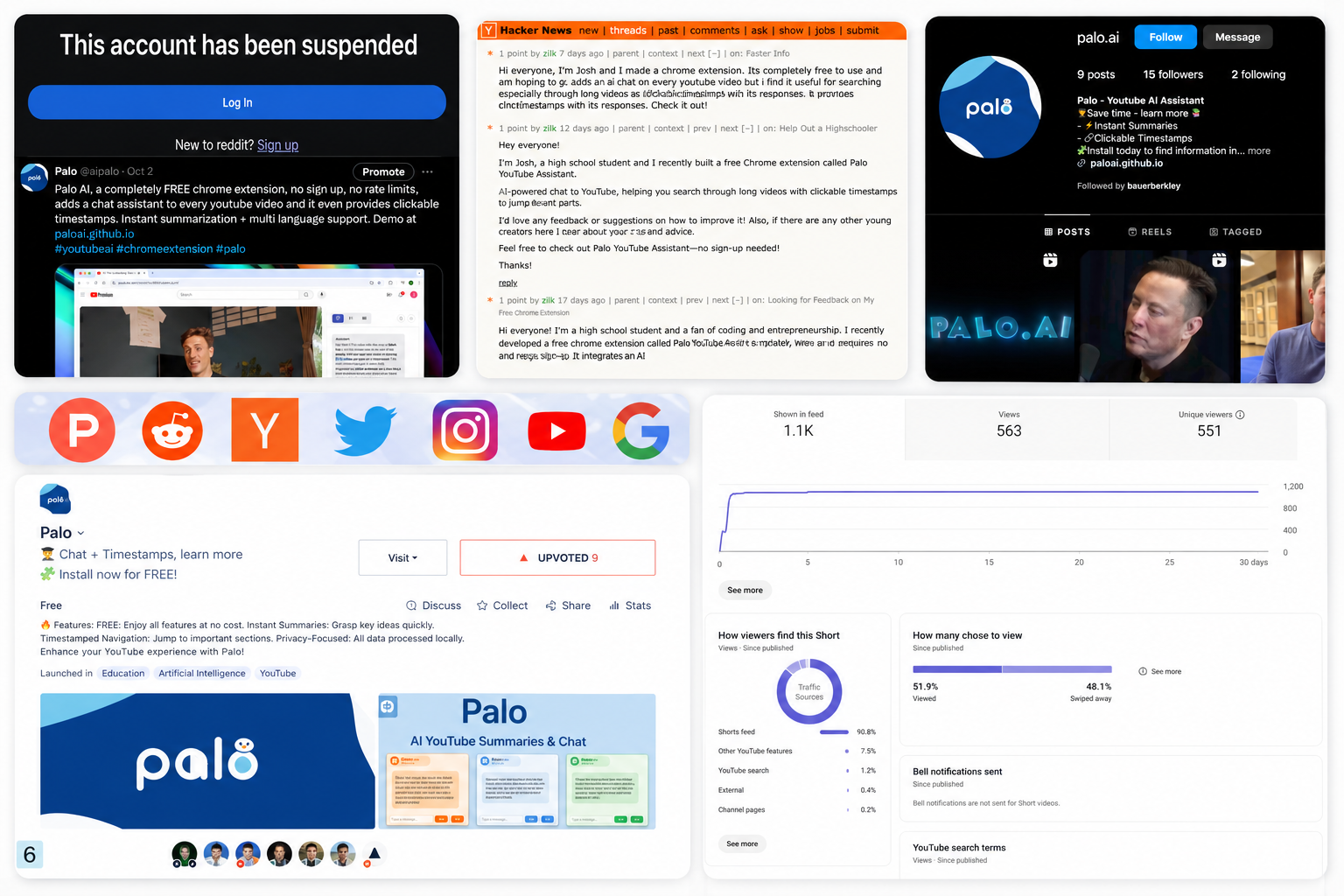
Launching meant trying every channel, including the one that suspended the account. Google Analytics peaked just over 30 active users on the Chrome extension page. It was not huge, but it was real: a jagged line from zero to strangers actually opening the thing.
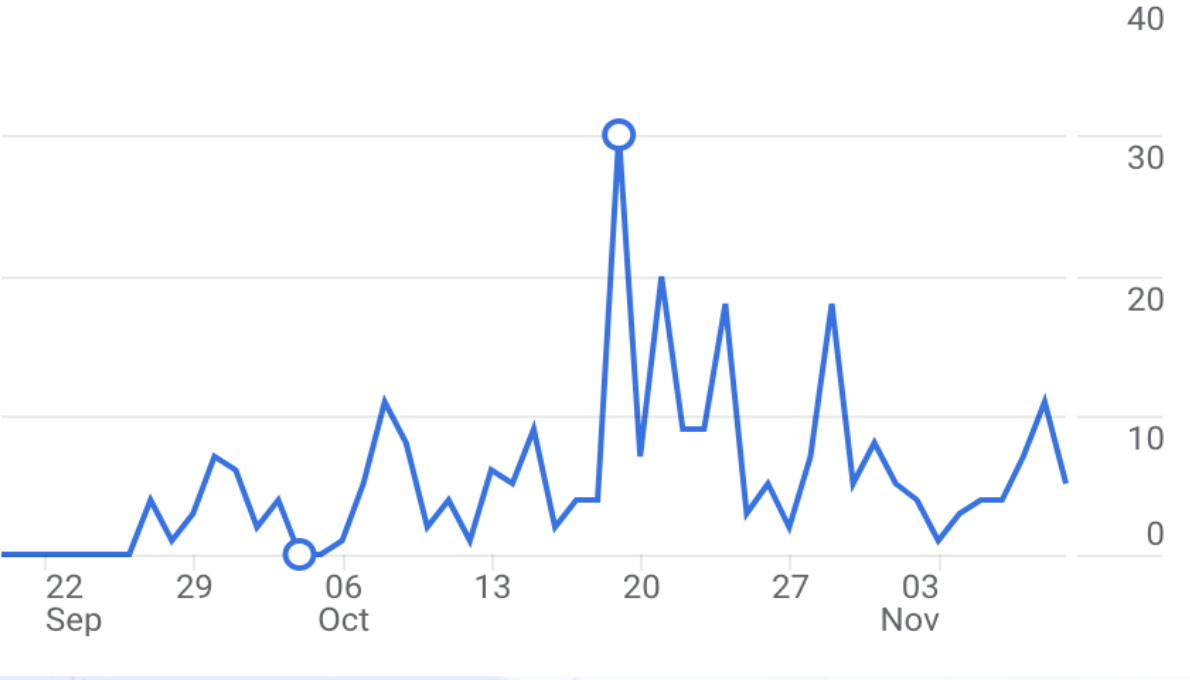
The first real spike: a little over 30 active users. User count 73, climbing +8 in a day, +13 in a week. Average rating 4.83 across 6 ratings, flat as a pancake (in a good way). SEO position 77,247 overall — buried — but the trend was up: +2540 in a day, +3557 in a week. 'assistant' keyword position 135, 'chat' keyword position 148, both climbing.
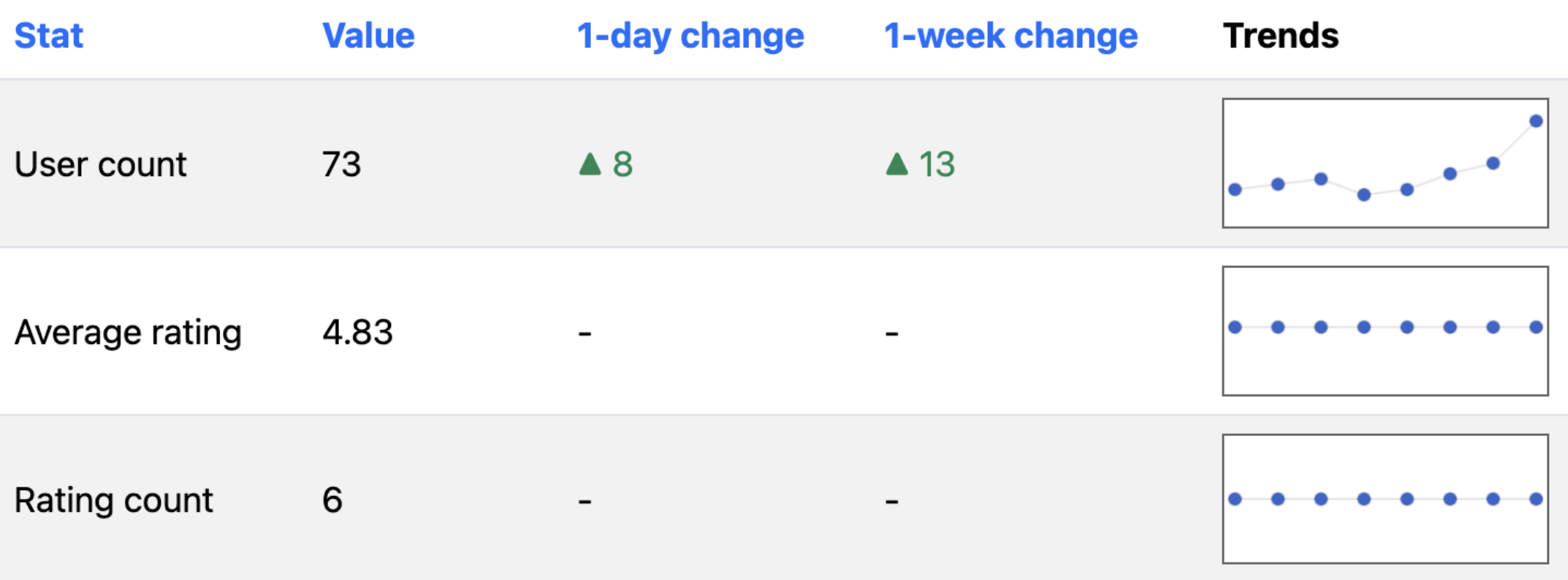
73 users, +8 in a day, +13 in a week. The roadmap was bigger than the shipped product: prompt tuning, provider swaps, a Palo+ subscription through ExtPay, daily quotas, themes, dark/light mode, longer-video support, more languages, smart speed, and cleaner timestamp timelines. Most of that stayed future-tense once the transcript layer broke.
YouTube blocked the transcript API. Active-user line dropped to absolute zero overnight. The error dialog spammed every install: 'There was an error fetching the transcript.' The feedback form filled with the same complaint, two weeks running, before I sat down to fix it.
Googled 'youtube transcript' and worked through the third-party services. Most were dead ends. The ones that resolved usually CORS-blocked the extension because their server expected requests from their own site, not a content script. Vatis Tech returned Access-Control-Allow-Origin: * — wildcard, usable from the extension. That was the unlock.
Replicated the reliable parts of the Python youtube-transcript-api in JS: prefer manual English transcripts, fall back to auto-generated when needed, and rotate Vatis API keys when one hit its limit. The extension started breathing again.
From the gallery
What I came back with
Lesson from the terrain
Shipping to real users is the part the side projects had been missing — a feedback form full of 'it's been broken for two weeks' hits differently than a localhost console.log. The fragile part of Palo was never the model or the prompt; it was the scrape. The whole product depended on a transcript endpoint YouTube never promised would stay up, and the day it didn't, every install on the Chrome Web Store turned into the same red dialog at the same time. CORS, rate limits, and key rotation aren't features — they're the cost of building on someone else's platform without permission.