Departure
Schoology is where school information goes to become homework. Grades live in one place, assignments in another, course materials behind folders, and the feed buries anything useful under announcements. I wanted the opposite workflow: ask ChatGPT what matters, get the assignments and links back as a real tool result, and only open Schoology when I actually had to submit something.
Approach
- MCP
- ChatGPT Apps SDK
- Python
- FastAPI
- SQLite
- SQLAlchemy
No clean Schoology surface. The server had to keep its own local mirror warm so user-facing tool calls could be fast, predictable, and independent of the live dashboard.
Field log
Watched OpenAI ship the Apps SDK. The Spotify demo was the important shape: ask in natural language, let the tool do the work, then render something richer than text inside ChatGPT. That was the missing piece for Schoology — not another scraper, a usable surface.
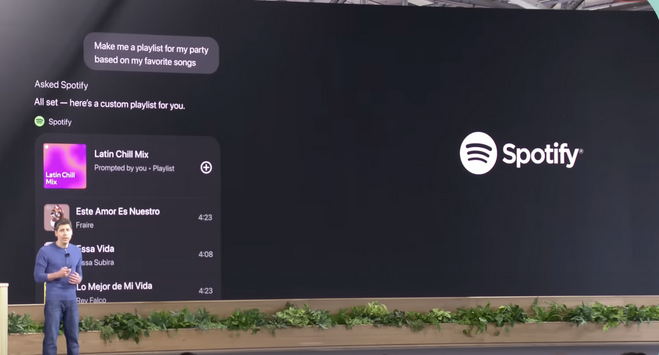
The useful part was the host: ChatGPT could render an app, not just call an API. Pulled up the MCP shape. A host speaks one protocol; servers expose tools and resources; the host does not care whether the backing system is a file folder, GitHub, Slack, Maps, or a hacked-together Schoology mirror. That was exactly the boundary I needed.
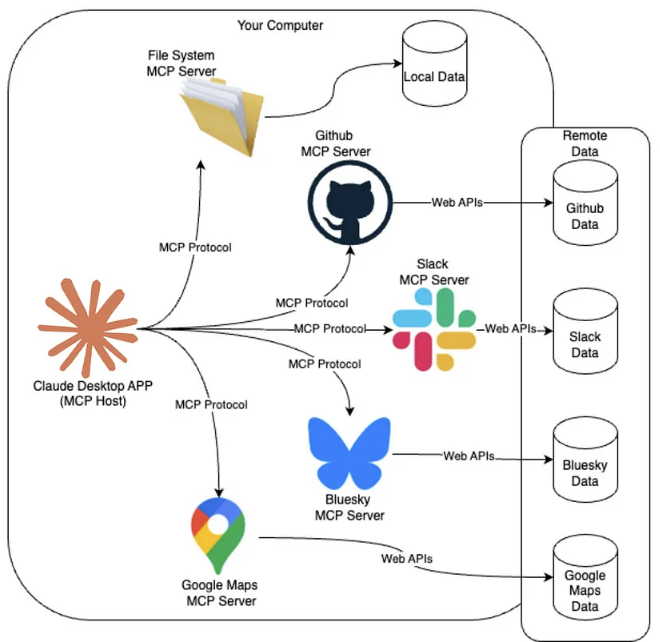
Same host, different servers. Schoology could just be another server. The Apps SDK shipped with a Pizzaz demo that worked like a layout cookbook: list, map, carousel, album. Schoology did not need a map or a carousel. It needed the boring one: a ranked list with a count on top and every item linked back to the original material.
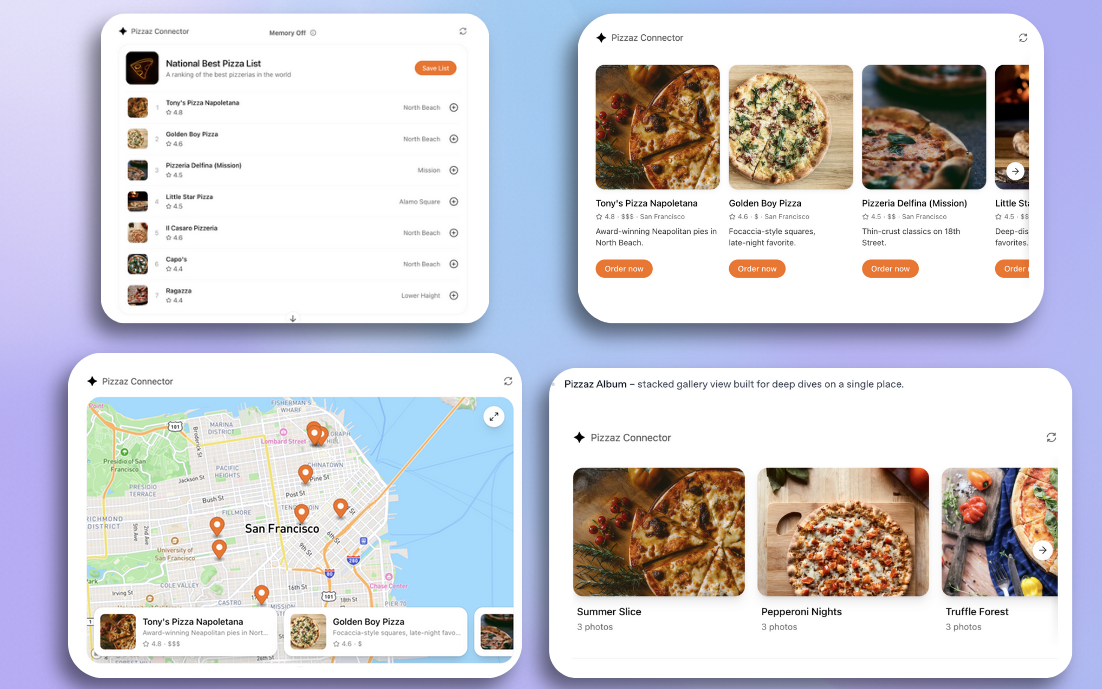
A UI cookbook disguised as a pizza demo. Wrote down what Schoology actually costs me daily: grades, assignments, and materials are separated; the feed is mostly noise; the workflow is reactive. I have to remember to go look. The goal was to flip that into a briefing.
Took screenshots so the project did not become abstract. The main feed, overdue column, upcoming column, and AP Calc folders all said the same thing: the data exists, but the surface makes me pay attention tax every time I need it.
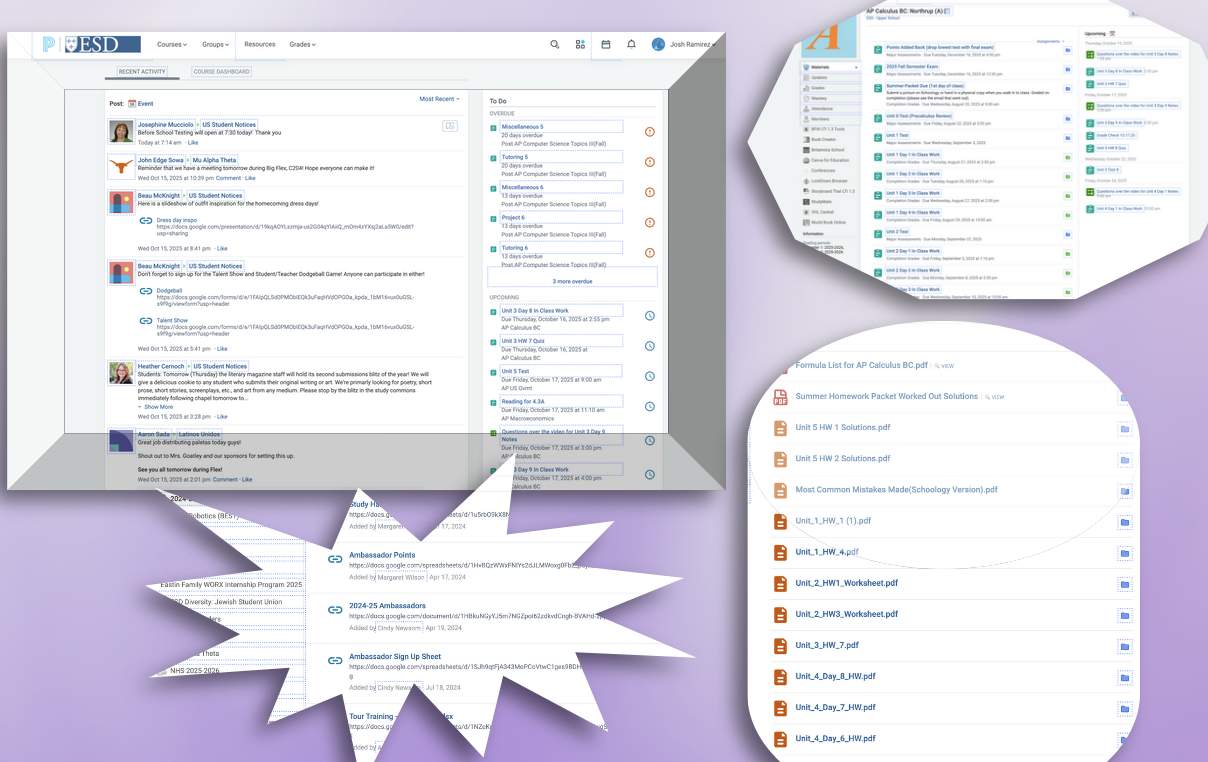
The pain point slide. The data was there; the interface was the problem. Drew the pipeline before writing code. Schoology feeds a synchronizer, the synchronizer writes the database, the MCP server reads that database, and ChatGPT calls the MCP server. The important rule: ChatGPT never waits on a live Schoology crawl.

The whole system in one line: crawl in the background, answer from the mirror. The MCP server exposed the useful questions directly: summary today, next 48 hours, this week, course materials, assignment links. Each tool call became a database query plus a structured response ChatGPT could render or explain. The agent was no longer browsing Schoology; it was asking my copy of Schoology.
The Apps SDK piece turned the tool result into a briefing instead of a wall of text. Count at the top, assignments grouped by window, direct links back into Schoology. The interface lived in ChatGPT, but the shape of the UI came from my server.
Two prompts on stage. 'Get my Schoology summary today and next 48 hours' returned the Daily Briefing widget: five assignments due today, tomorrow grouped underneath, every title clickable straight to Schoology. 'Get all my English class assignments and give me all the links to the poems' took about 30 seconds, then returned a sectioned AP English IV list with the Daily Poetry folder links pulled out cleanly.
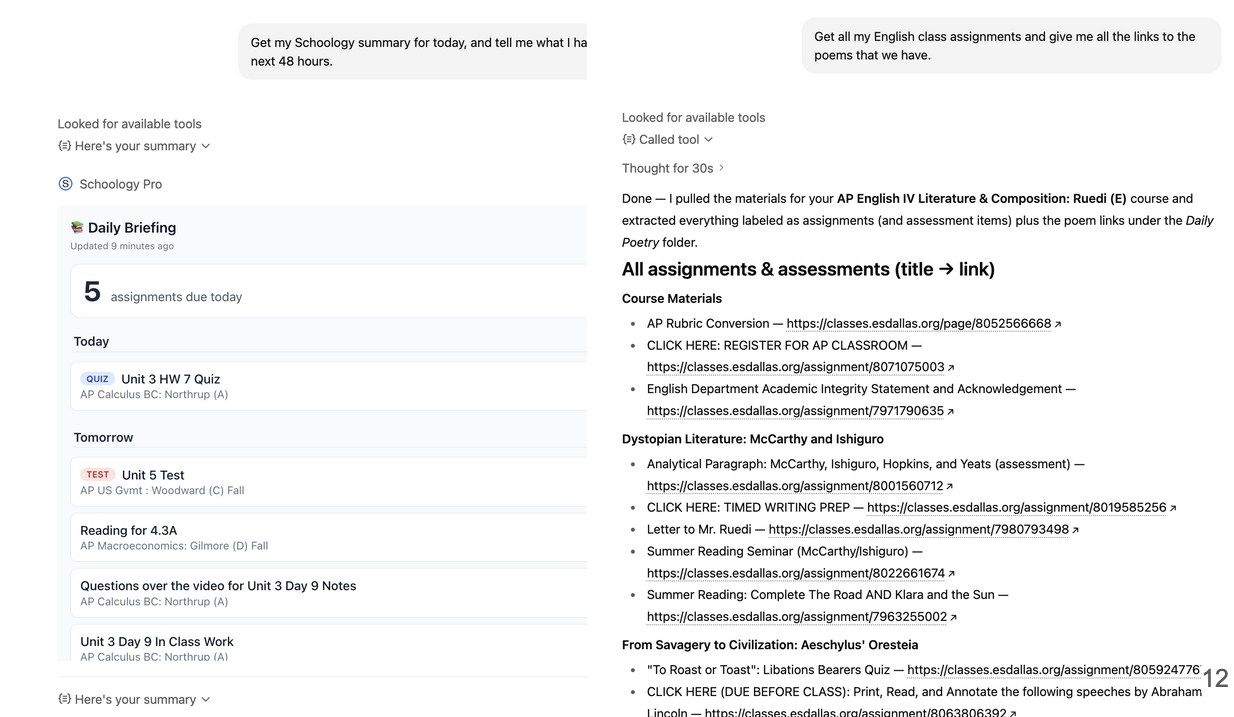
The two demo paths: a compact briefing widget, then a long materials query with direct links. The same shape extends cleanly: a performance dashboard for grade tracking, an interactive planner for turning assignments into a Kanban board, and proactive alerts when grades or due dates change. Each future card is just another query over the mirrored Schoology data and another widget shape for the Apps SDK host.
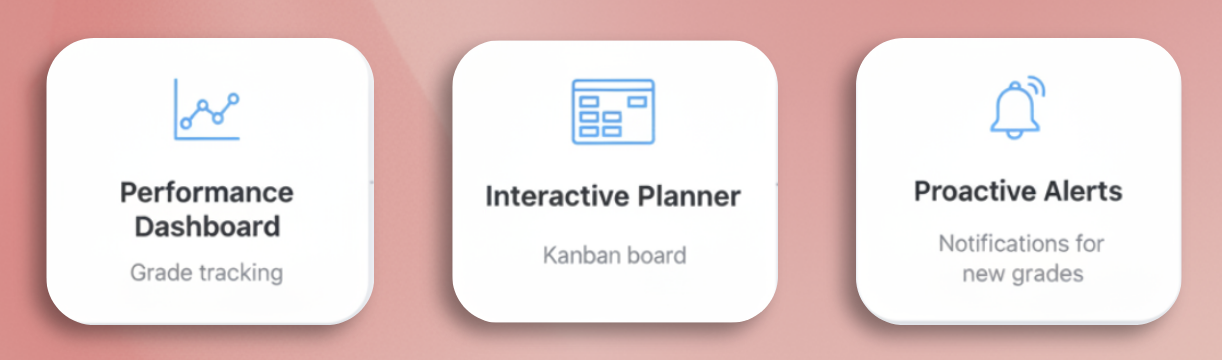
Once the mirror exists, future surfaces are mostly new queries and new widgets.
From the gallery
What I came back with
Lesson from the terrain
The leverage was not the model. It was moving Schoology out of the browser and into a shape an agent could query. MCP gave the boundary, the local mirror made it fast, and the Apps SDK made the answer feel like software instead of a transcript. Once those three pieces were in place, Schoology stopped being a dashboard I had to inspect and became a data source ChatGPT could brief me on.