APUSH Digitized Notes
Searchable archive of APUSH notes with OCR and period filters.
Spring 2025 · Education · Completed personal project
- Historical learnq.org deployment
Stack
Stack: Python · OpenCV · Pillow · Gemini structured output · Next.js · DreamHost
No separate backend in the first version. The images and JSON were baked into the frontend, which made localhost simple and deployment cumbersome.
Log
Spring 2025 — the pile
The source material was not clean. It was school-paper archaeology: pencil notes, packet holes, answer lines, cartoons, rubrics, and half-cropped phone photos. Some pages were standalone; some belonged to packets that needed to stay together.
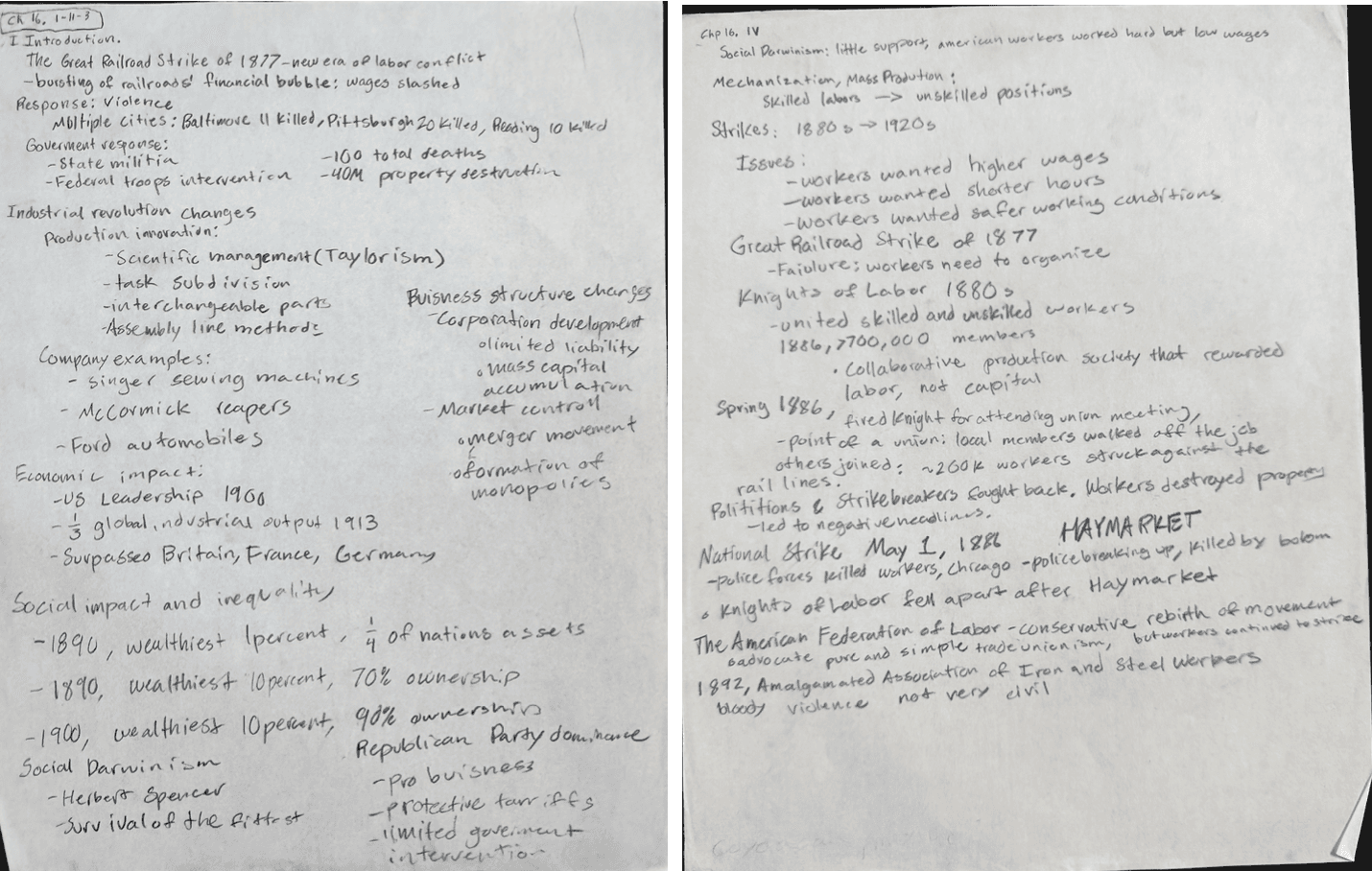
The actual input: useful notes, bad searchability. Step 1 — every page becomes an image
Individual pages stayed in the root. Packets became folders, with the pages inside each folder. That rule mattered because a single Gemini request could represent either one loose page or a multi-page packet.
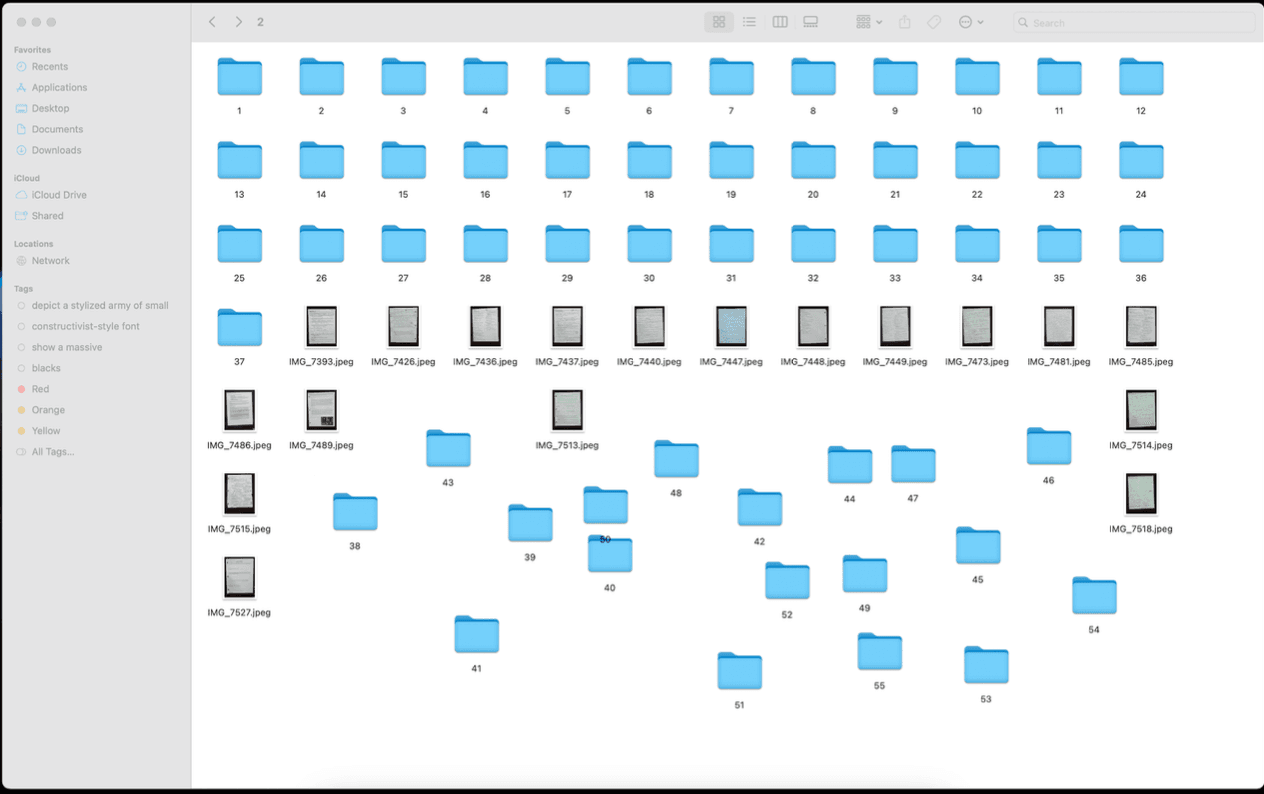
Before formatting: folders and raw camera filenames mixed together. Step 2 — names had to become structure
A Python natural-sort pass renamed packet pages as packet_page, like 3_2.png, and standalone pages as single increasing numbers. The filenames became a data model small enough for the later scripts to trust.
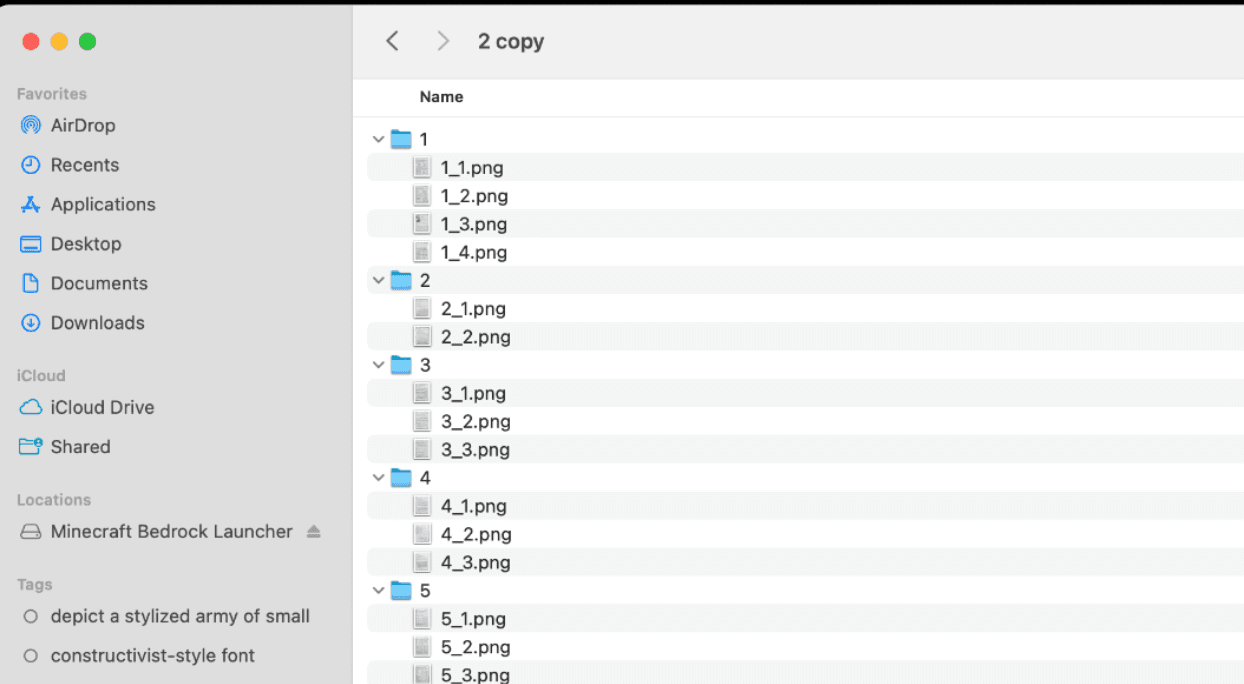
Packet pages after the rename script made the structure explicit. Step 3 — clean the paper
The batch processor walked every JPEG, cropped the page, found document corners, applied a four-point transform, bumped contrast and brightness, wrote a PNG, and deleted the original JPEG. The goal was not perfect archival quality; it was a cleaner page for OCR and a less ugly website image.
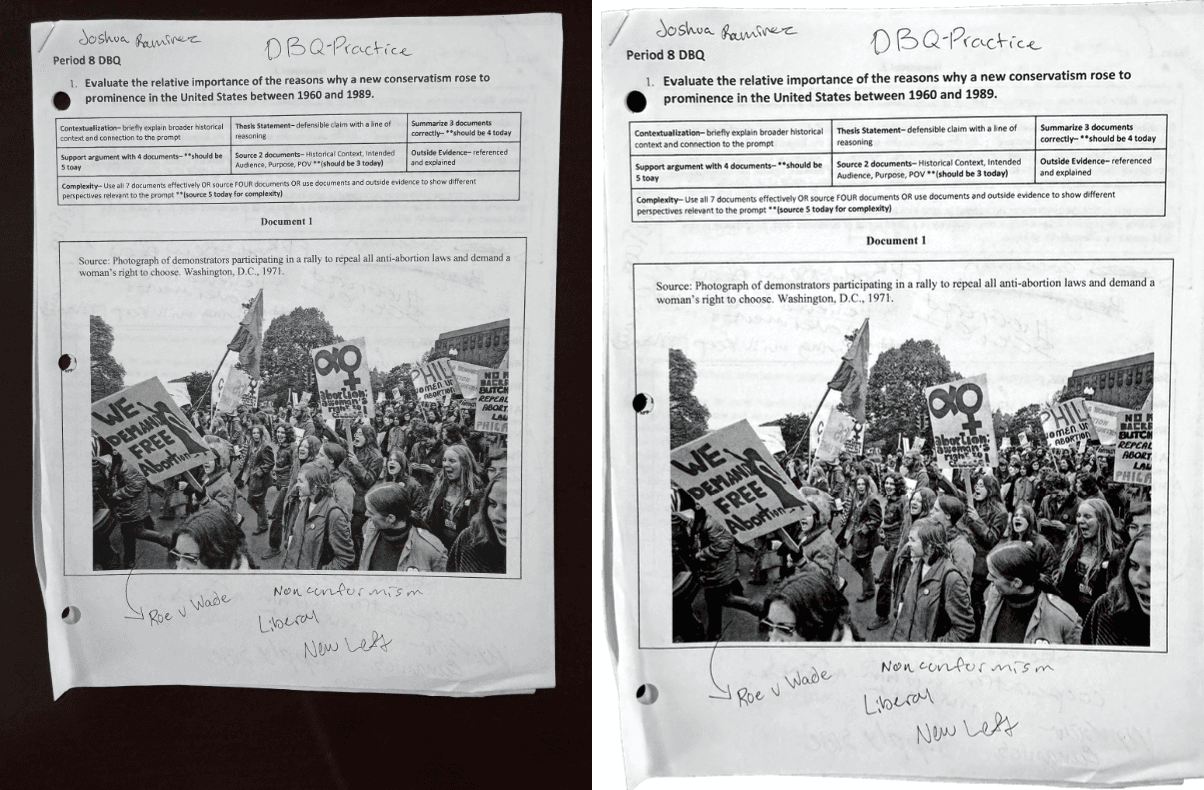
Before and after the OpenCV crop, transform, and enhancement pass. Step 4 — Gemini as the clerk
Gemini got the image or packet plus a strict JSON schema: apush_period, APUSH themes, title, document_type, tags, summary, and full_text. The useful part was not just OCR. It could decide that a page belonged to Period 6, tag it with Taylorism and Haymarket, and summarize the point of the notes.
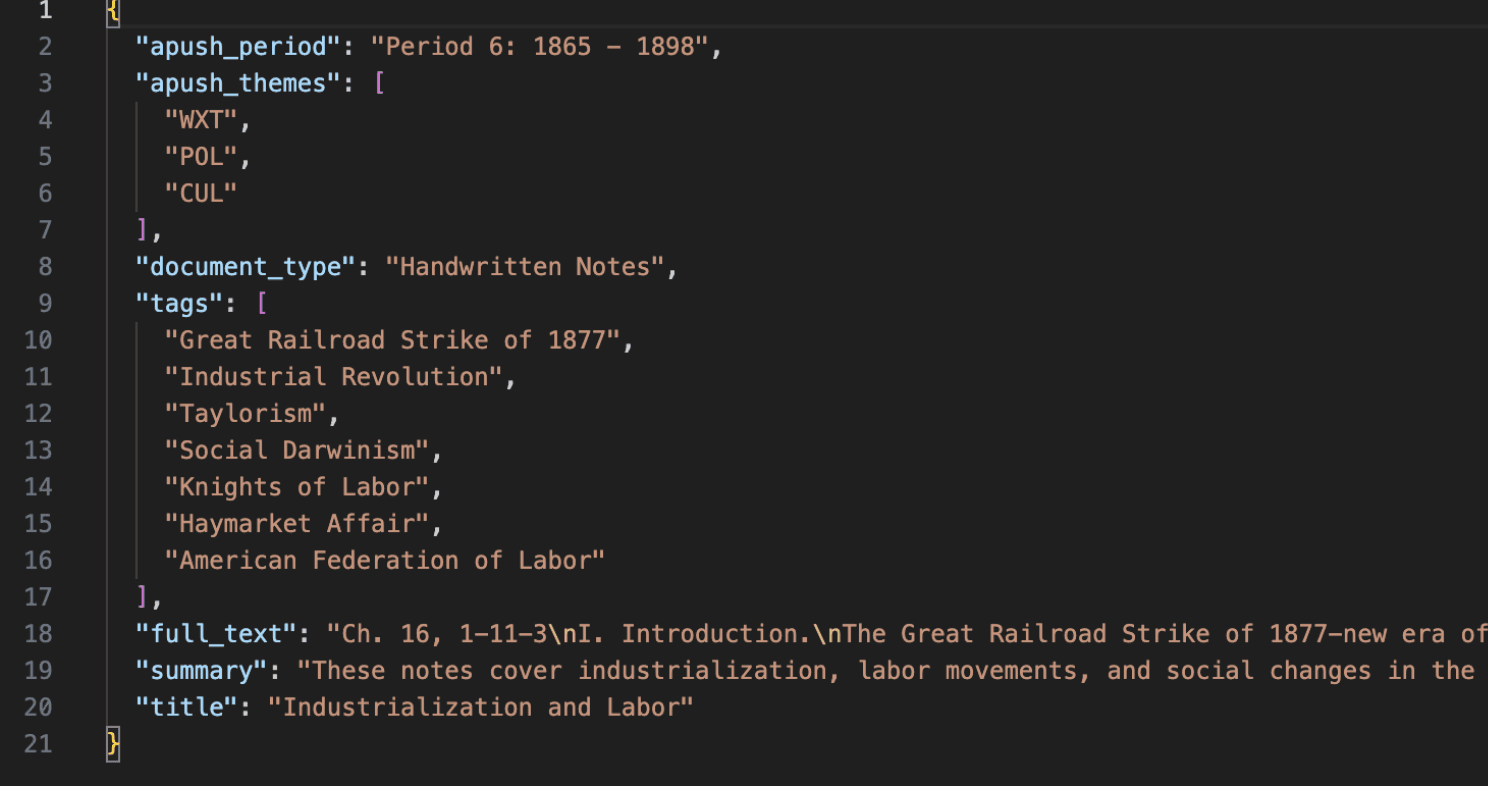
Structured output turned OCR into searchable metadata. After the run — packets plus JSON
Each folder ended with its cleaned page images and a JSON file beside them. For the app, that was the whole database: the processed page images held the scans after cleanup, and the JSON files were the generated index.
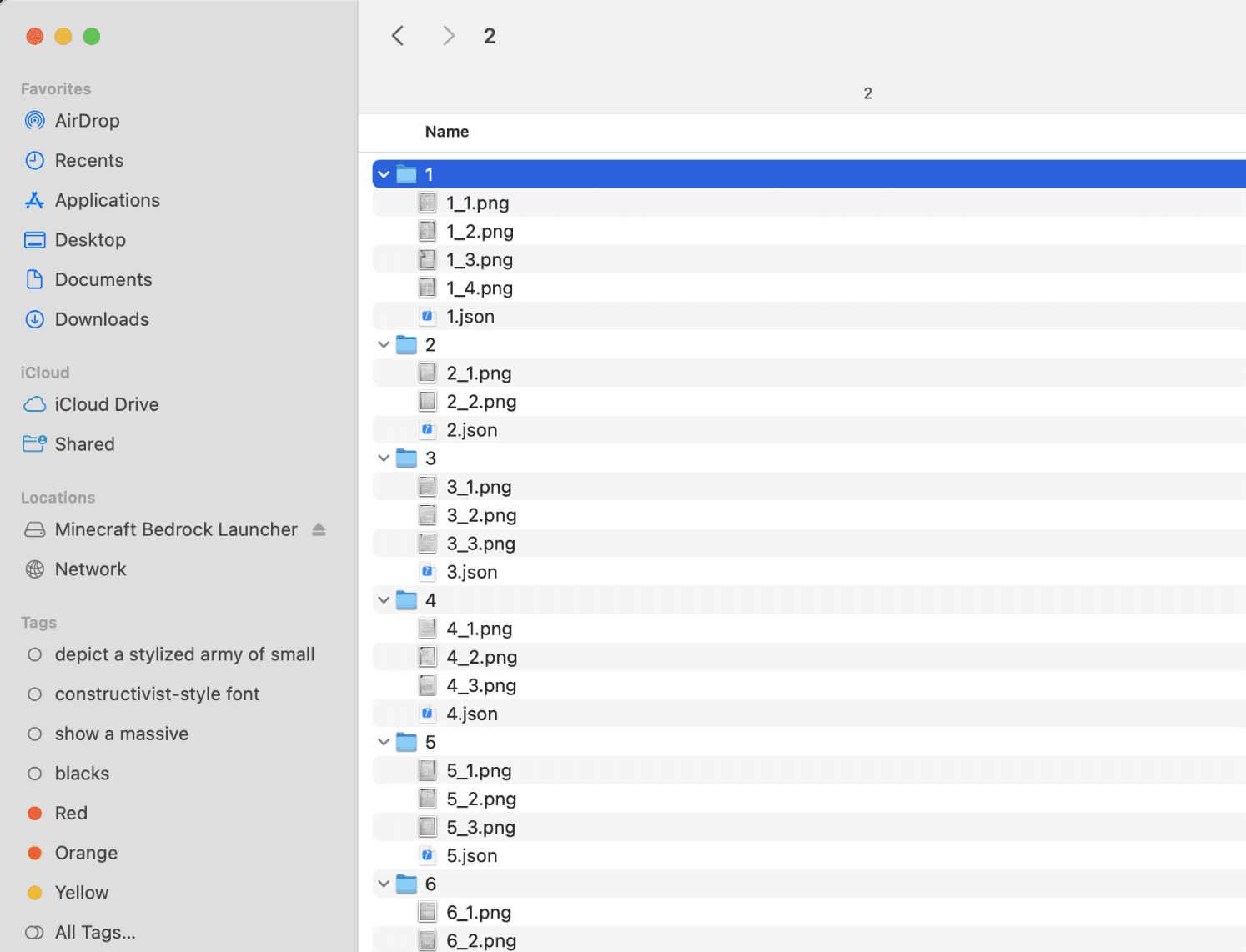
Cleaned pages plus one metadata file per packet. The site — search first
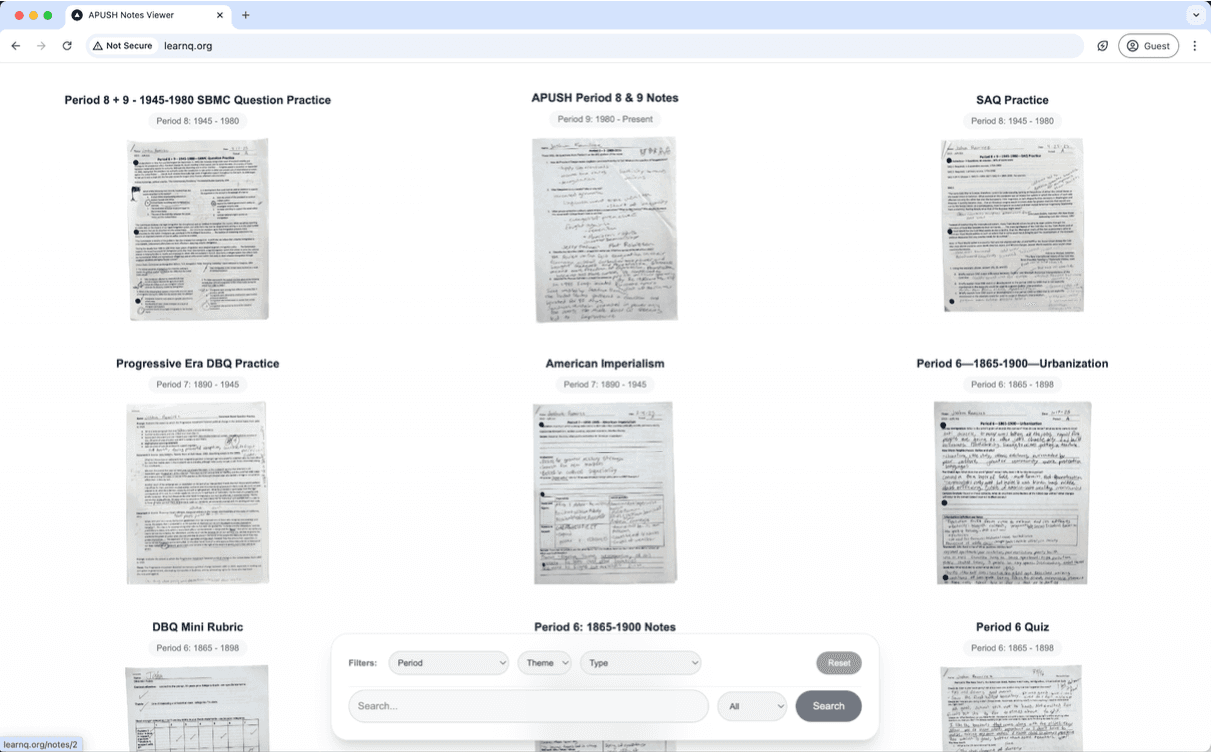
The frontend was not trying to be a generic note app. It rendered a grid of scanned pages and put the APUSH-specific filters at the bottom: period, theme, document type, and text search. A note detail page showed the scan next to the extracted title, period, summary, tags, themes, and document type.
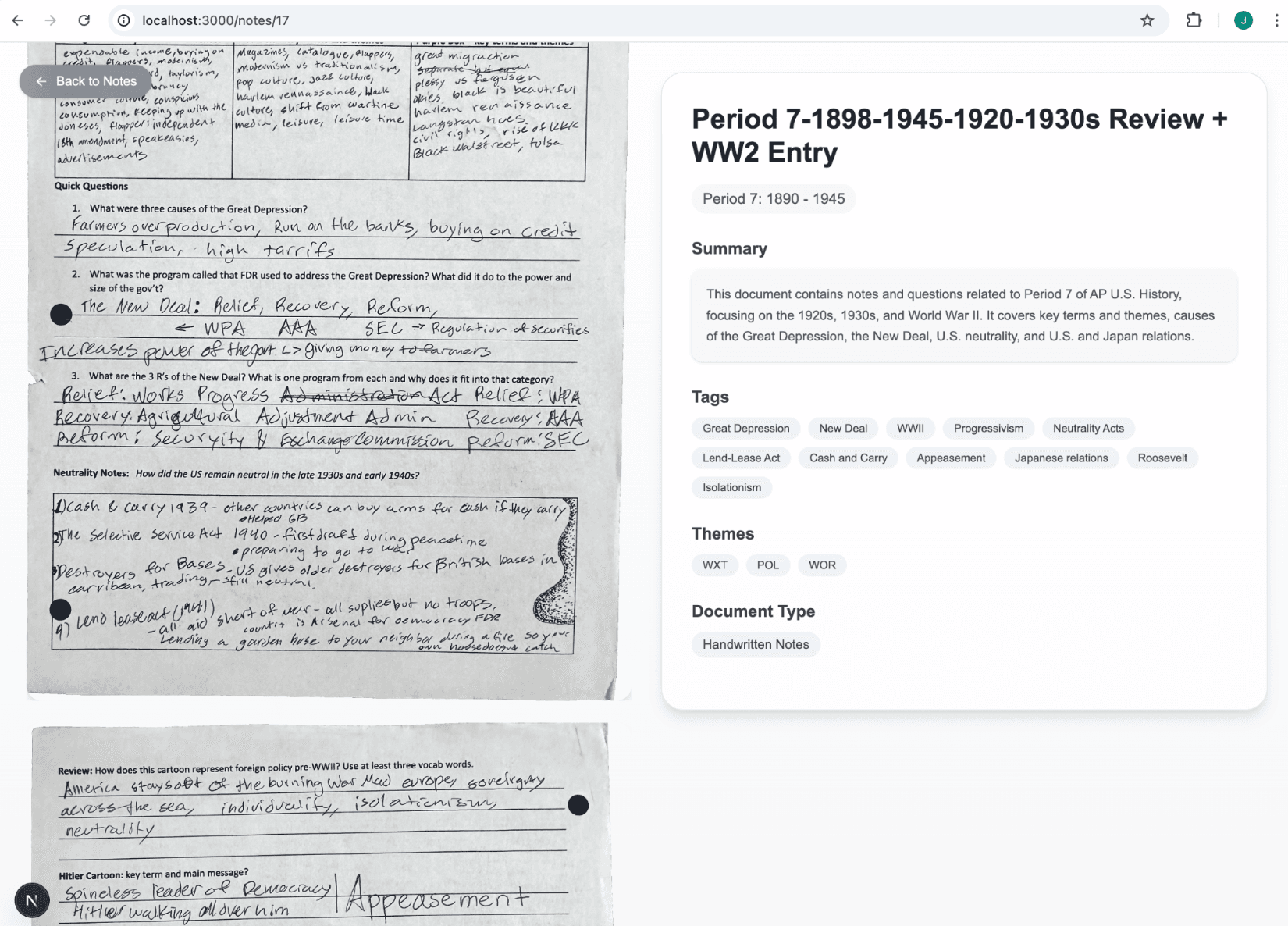
The payoff: handwritten paper beside searchable structured context. Apr 2025 — Vercel said no
The first version put the images and JSON in the frontend, which made the deployment bundle large. Vercel showed a 'data is too long' build error, and the logs also showed missing public data JSON files, so the screenshot does not point to one clear cause. The architecture was convenient locally and awkward to deploy.
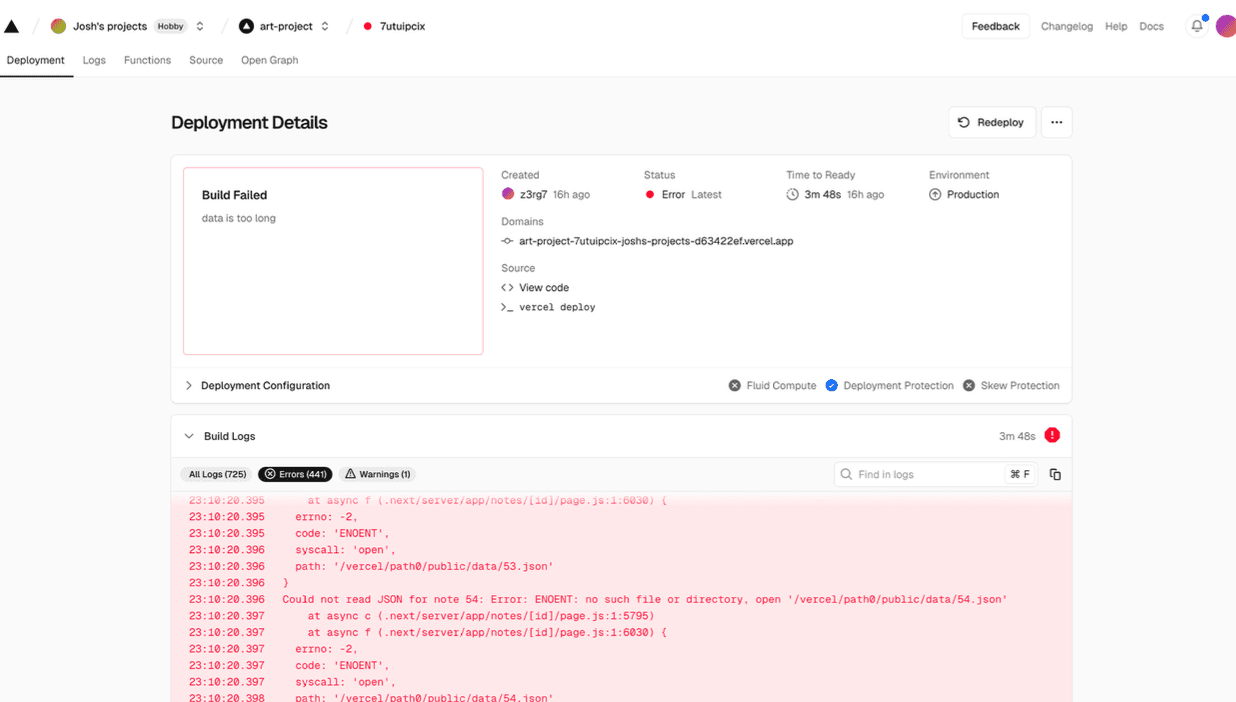
April 2025 Vercel failure snapshot: a build error alongside missing JSON files. Apr 2025 — learnq.org, shipped but rough
DreamHost served the files, and learnq.org was the public version I had then. I mostly used the app on localhost, though: the certificate sometimes failed, and on the hosted version a click could change the URL before the grid updated.
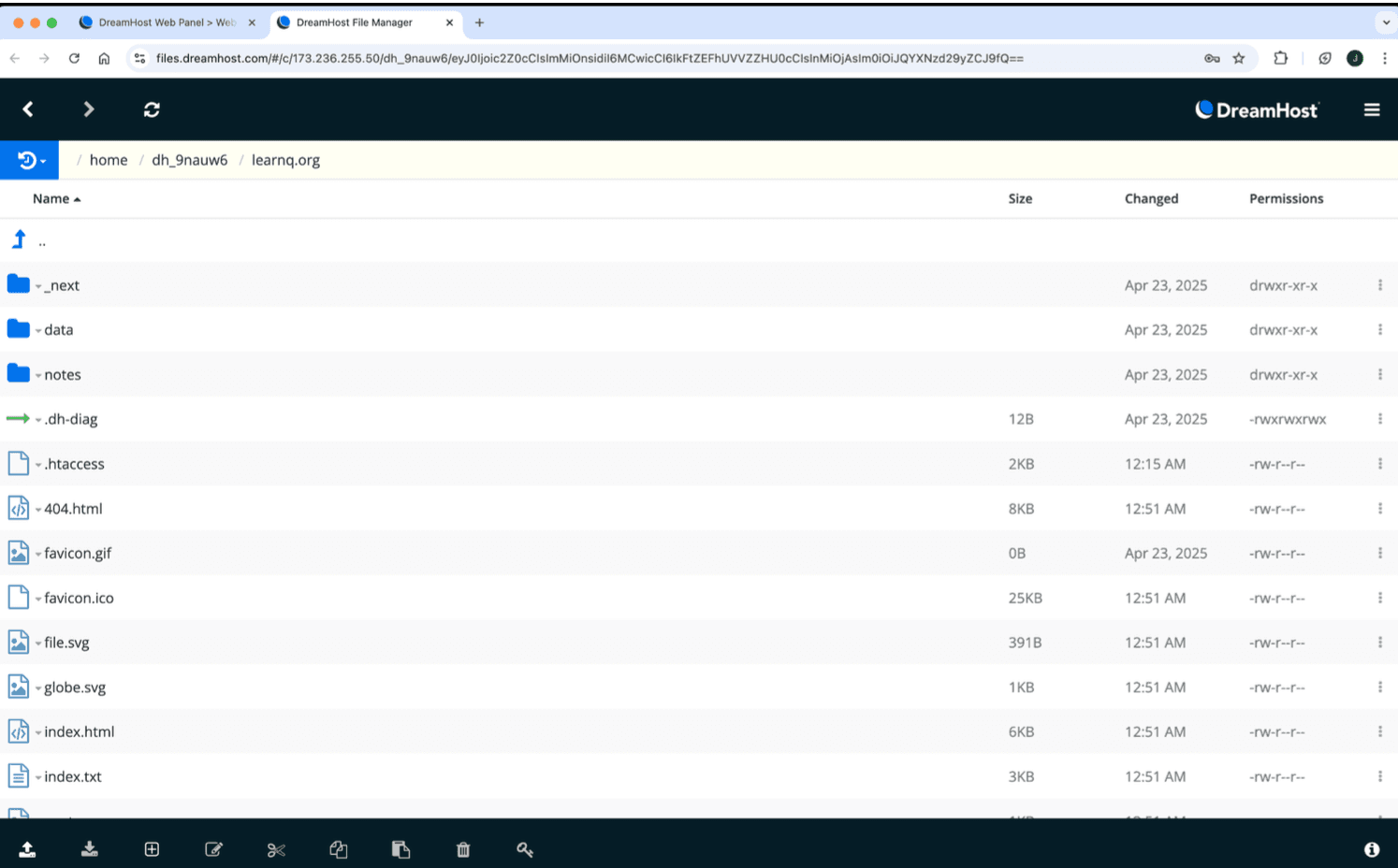
April 2025 snapshot of the historical learnq.org deployment files in DreamHost. 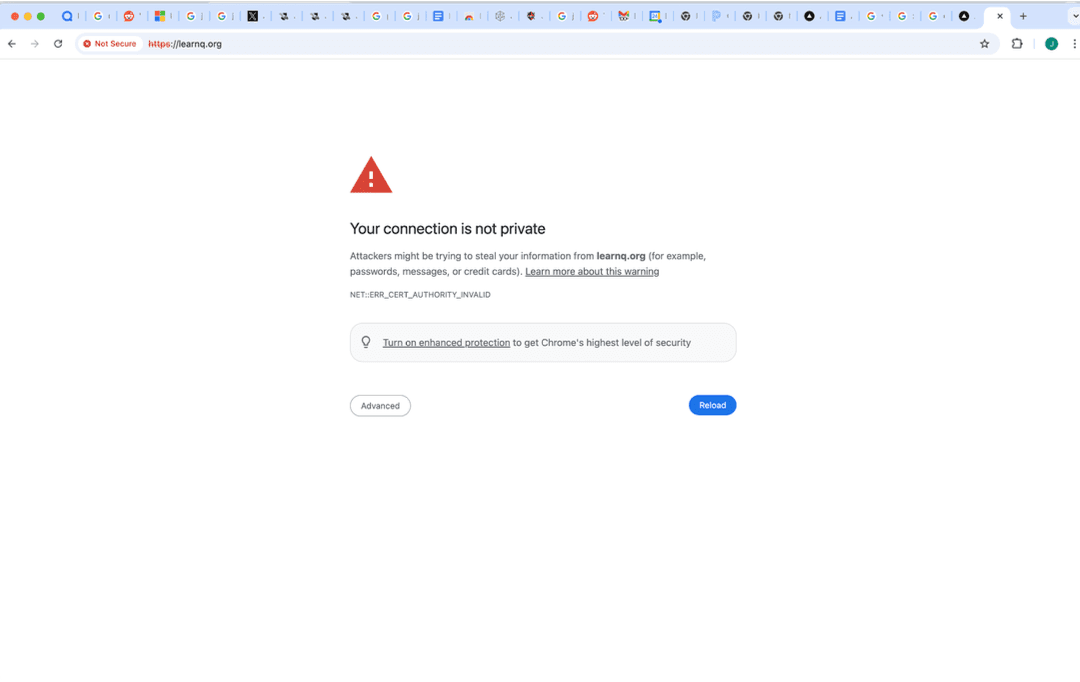
Historical April 2025 certificate warning on the learnq.org deployment. 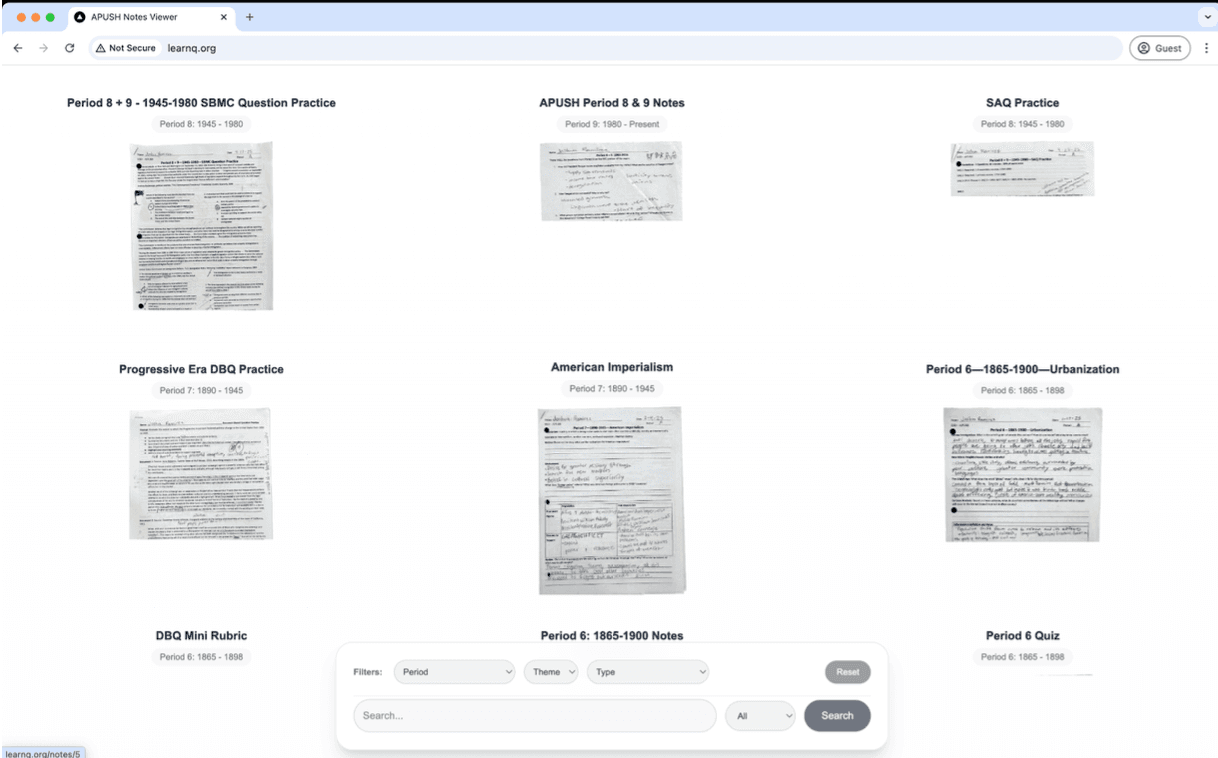
Historical April 2025 learnq.org screen: the URL had moved to /notes/5 while the grid was still visible. Apr 24, 2025 — completed
The core loop worked better than expected. I could run the script, leave it alone, and come back to packets that had been OCRed, summarized, tagged, and filed. Searching my own APUSH notes by period was immediately useful, even if the public deployment was not the final shape.
Gallery
Result
~60 packets processed with Gemini-generated OCR and metadata
What I learned
This was the first LLM workflow that felt obviously useful instead of futuristic for its own sake. The model took on the boring clerk work: generating OCR, suggesting key terms and periods, and returning structured metadata that made the pages searchable. The part that gave me trouble was the deployment architecture. Baking every scan and JSON file into the frontend made the app easy to build and use on localhost, but awkward to host. The next version wants Supabase for metadata, compressed thumbnails for the grid, and a thinner frontend that fetches notes instead of carrying the whole binder in the build.