Email2Calendar
Apps Script workflow that used Gemini to turn school emails into calendar events.
Spring 2025 · Productivity · Completed personal project
- Private Gmail-to-Calendar Apps Script
Stack
Stack: Google Apps Script · Gmail API · Google Calendar API · Gemini 2.0 Flash · Structured JSON output
For the Spring 2025 build, I planned around Apps Script quotas of 6 minutes per execution and 90 minutes total runtime per day. The loop had to stay selective and fast enough for a 15-minute timer.
Log
Spring 2025 — the shape
The whole product fit in three verbs: watch email as context, decide whether something is calendar-worthy, then add the event. Gmail held the source of truth; Google Calendar held the future. The missing piece was judgment.
The loop
Every 15 minutes, Apps Script wakes up, checks recent Gmail threads, filters out anything already labeled CalendarApp_Processed, looks for the first unread message, asks Gemini whether it contains a concrete future event, and then writes to Calendar if the answer is yes. After success, it marks the message read and labels the thread so the same email does not become the same event twice.
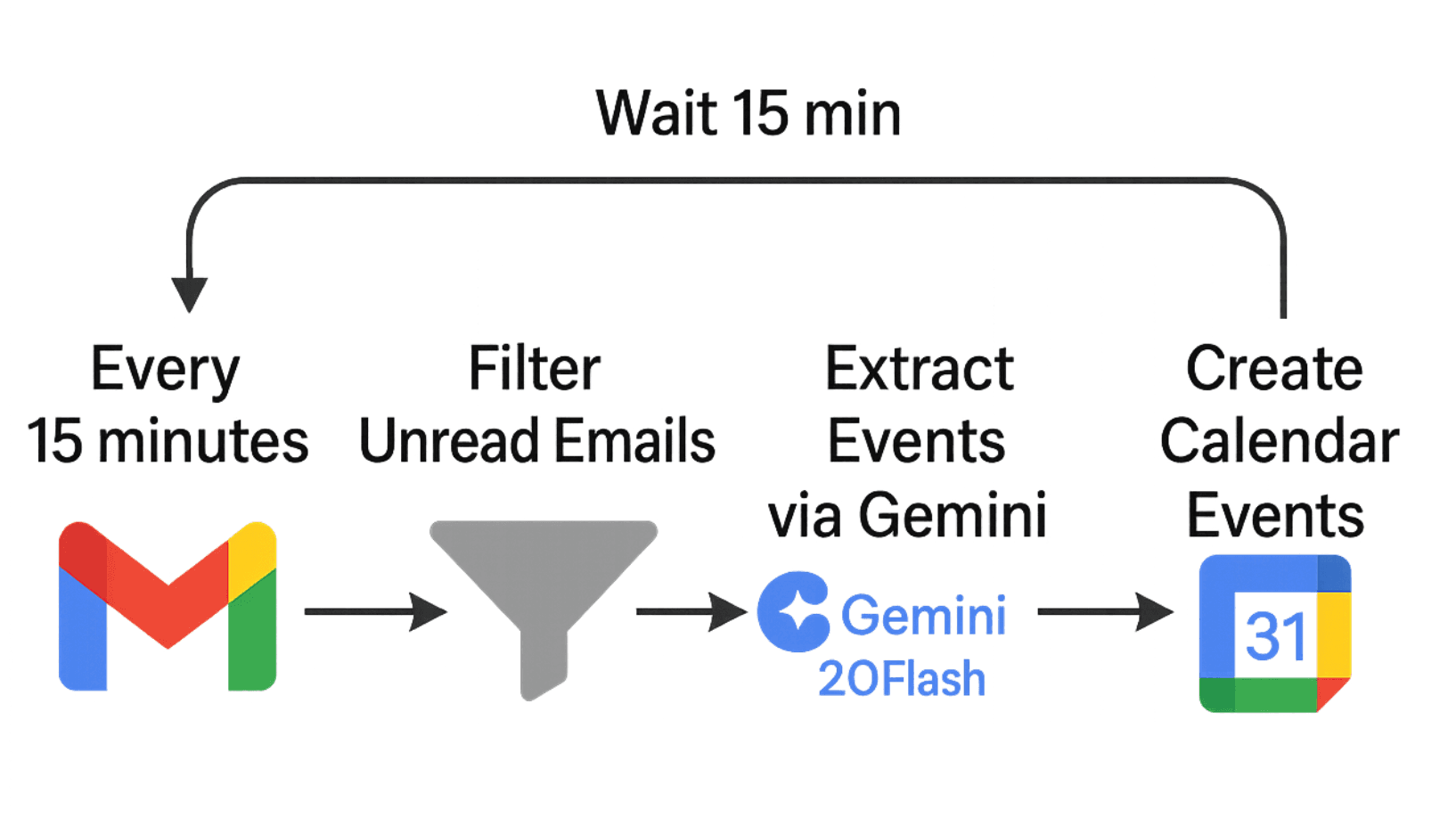
A tiny cron job with one job: inbox to calendar. Why Apps Script
Google Apps Script is not glamorous, but it already had the Gmail and Calendar access this automation needed. It could read messages, write events, create labels, and install a timer trigger without a separate server. For this task, boring was the point.
The Gemini contract
Gemini returned whether a message described a concrete future event and, when it did, the details Apps Script needed to create it. Newsletters, vague opportunities, past events, system notices, and simple confirmations were skipped.
Time was the hard part
For extraction, Apps Script sent Gemini the sender, subject, and trimmed message body. The prompt also included the current timestamp so Gemini could resolve relative dates. Unless an email said otherwise, events used America/Chicago time; school shorthand had rules too, like 'during flex' meaning 2:35 to 3:00 PM.
Spring 2025 — quota math
An empty run I observed took about two seconds. If all 96 scheduled checks in a day were empty, that works out to about 3.2 minutes of idle runtime—a calculation, not an all-day measurement. A run with a few candidate emails took closer to 15 seconds depending on Gemini.
The proof
The useful proof was simple: a reminder email turned into an event before I remembered to add it myself. By the time I went to schedule it, it was already on my calendar.
Next pass
The obvious extensions were Schoology integration and sharper prompting. Gmail catches the messages adults send. Schoology catches the assignments systems publish. The useful version eventually needs both.
Gallery
Result
Estimate from the 15-minute schedule: 96 checks/day and ~3.2 idle minutes at 2 seconds per empty run
What I learned
The useful part of the LLM was not writing prose; it was making a bounded decision inside a strict contract. Does this email deserve calendar space, and if so, what exact times should exist? Apps Script handled the plumbing, labels handled duplicates, and Gemini handled the judgment. The fragile part is that judgment has to be conservative: a missed event is annoying, but a calendar full of false positives is worse because it trains me to stop trusting the calendar.