Departure
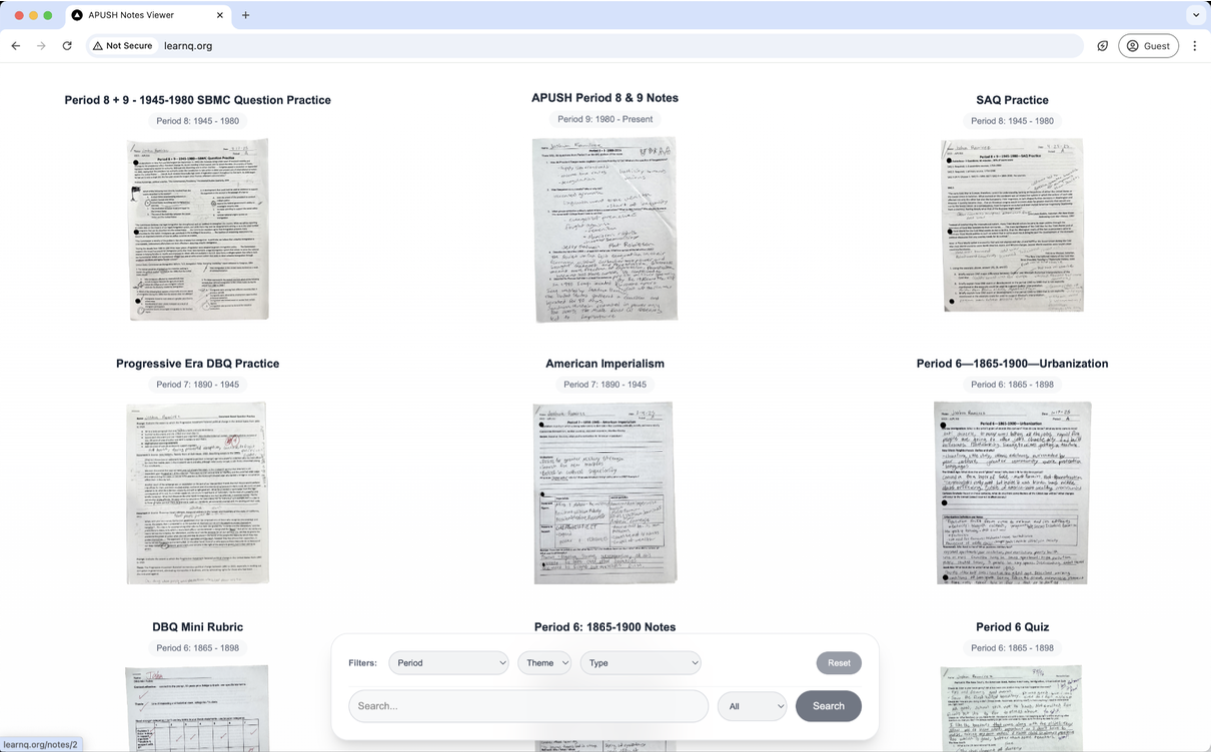
APUSH notes were useful only while I remembered which packet they were in. The pile had handwritten pages, DBQs, SAQs, quizzes, Woodward notes, and review sheets, but no search box. The expedition was to turn the physical class archive into a website: photograph every page, clean the scans, ask Gemini for OCR and APUSH metadata, then make the whole thing filterable by period, theme, type, and keyword.
Approach
- Python
- OpenCV
- Pillow
- Gemini structured output
- Next.js
- DreamHost
No separate backend in the first version. The images and JSON were baked into the frontend, which made localhost simple and deployment heavy.
Field log
The source material was not clean. It was school-paper archaeology: pencil notes, packet holes, answer lines, cartoons, rubrics, and half-cropped phone photos. Some pages were standalone; some belonged to packets that needed to stay together.
The actual input: useful notes, bad searchability. Individual pages stayed in the root. Packets became folders, with the pages inside each folder. That rule mattered because a single Gemini request could represent either one loose page or a multi-page packet.
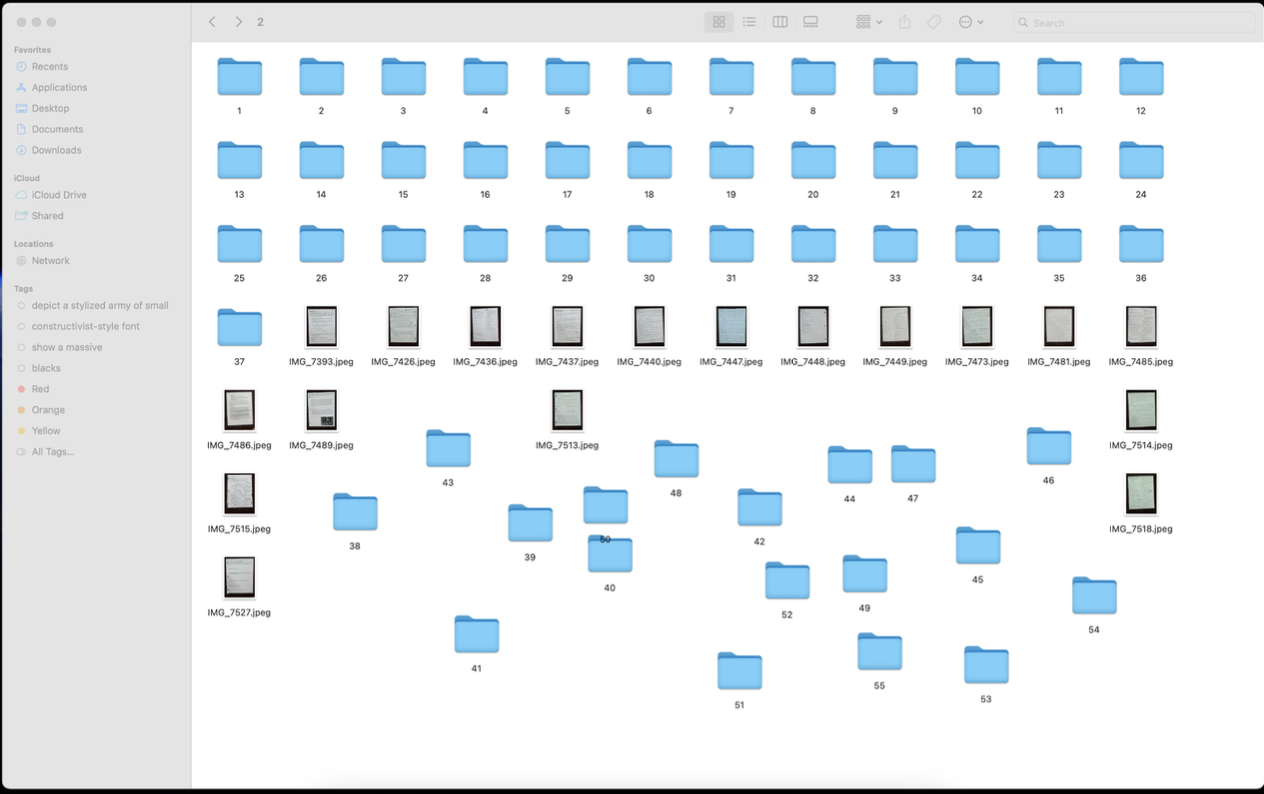
Before formatting: folders and raw camera filenames mixed together. A Python natural-sort pass renamed packet pages as packet_page, like 3_2.png, and standalone pages as single increasing numbers. The filenames became a data model small enough for the later scripts to trust.
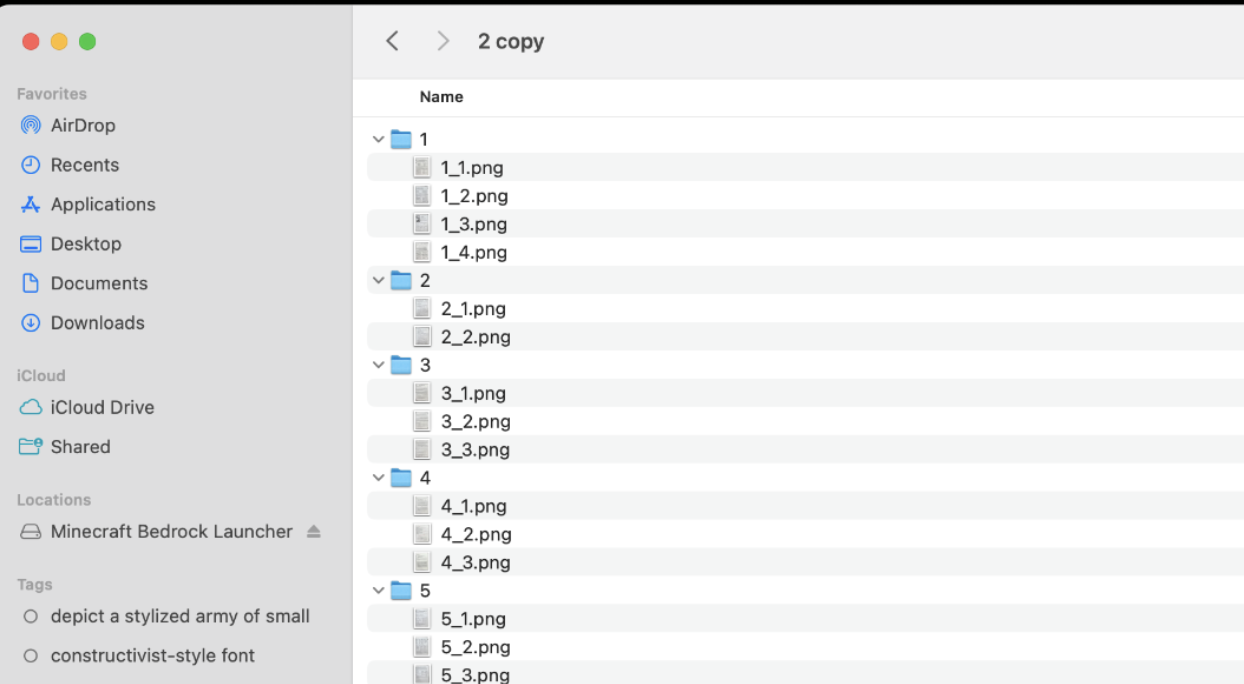
Packet pages after the rename script made the structure explicit. The batch processor walked every JPEG, cropped the page, found document corners, applied a four-point transform, bumped contrast and brightness, wrote a PNG, and deleted the original JPEG. The goal was not perfect archival quality; it was a cleaner page for OCR and a less ugly website image.
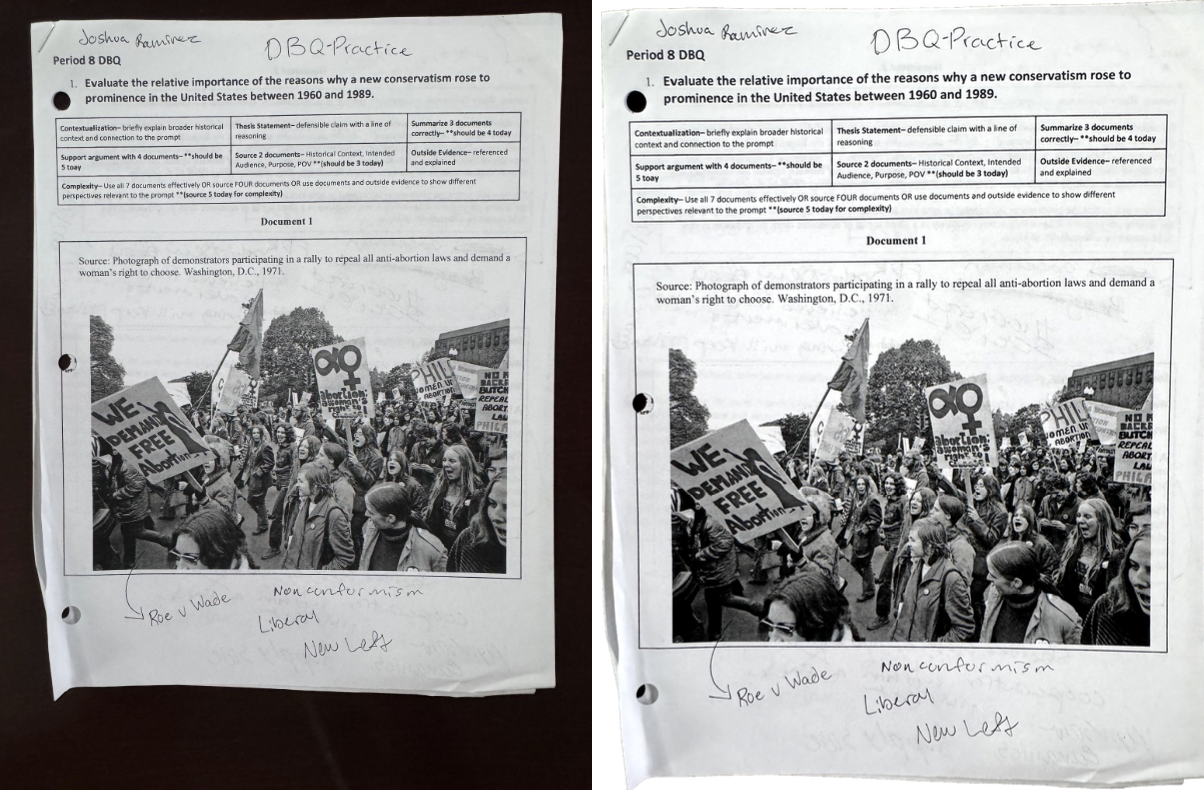
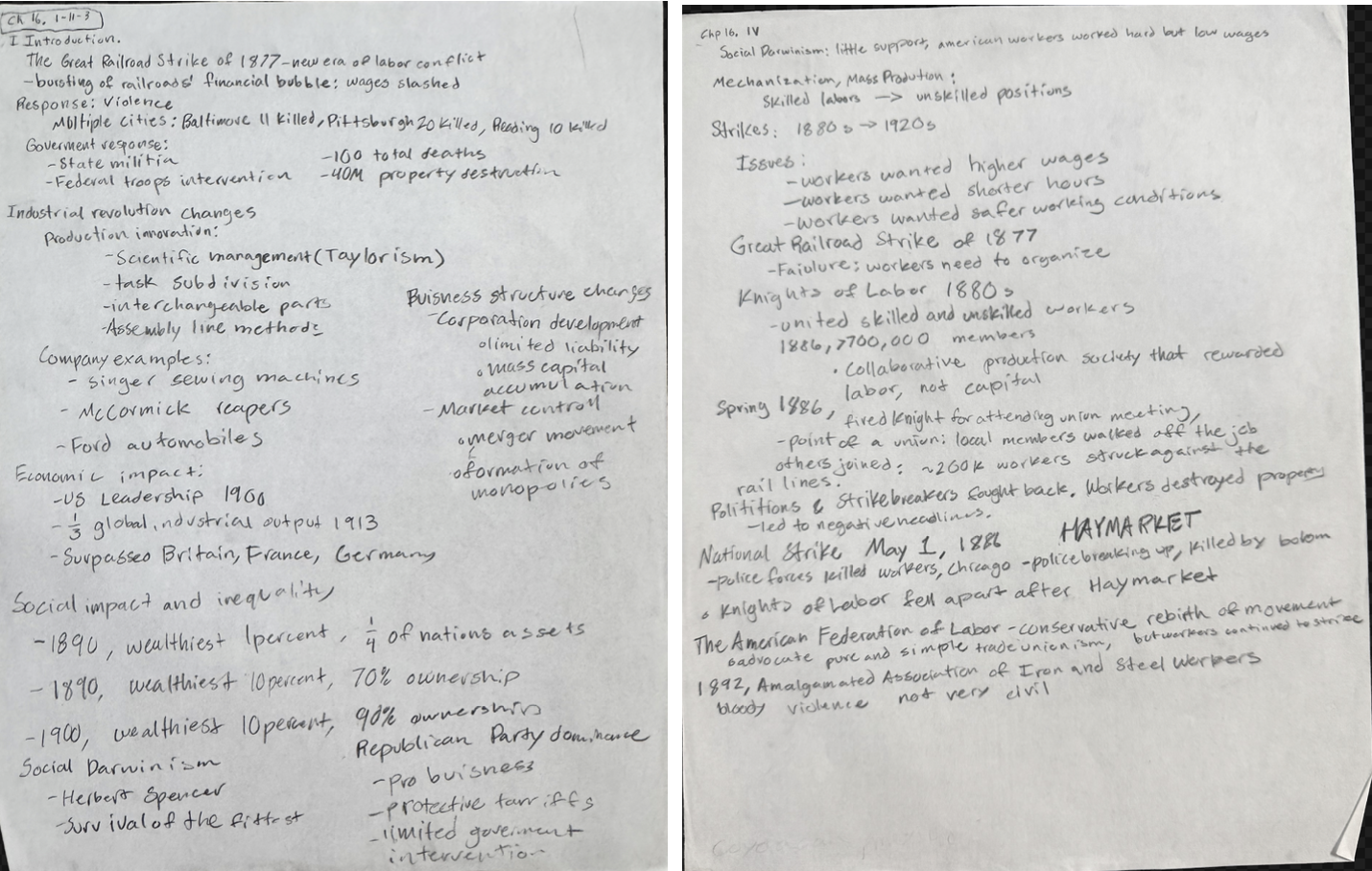
Before and after the OpenCV crop, transform, and enhancement pass. Gemini got the image or packet plus a strict JSON schema: apush_period, APUSH themes, title, document_type, tags, summary, and full_text. The useful part was not just OCR. It could decide that a page belonged to Period 6, tag it with Taylorism and Haymarket, and summarize the point of the notes.
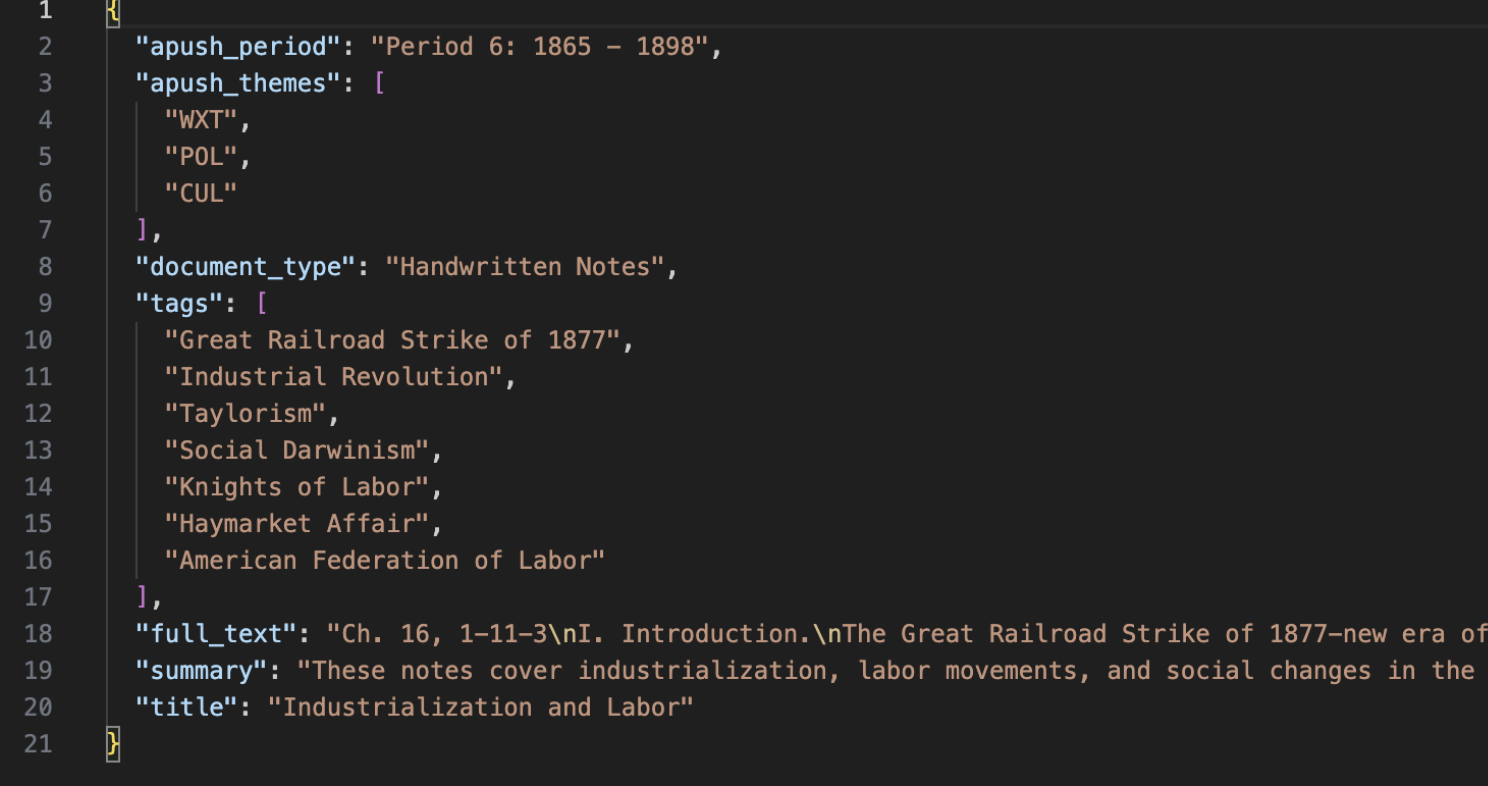
Structured output turned OCR into searchable metadata. Each folder ended with its cleaned page images and a JSON file beside them. For the app, that was the whole database: the image files were the originals, and the JSON files were the index.
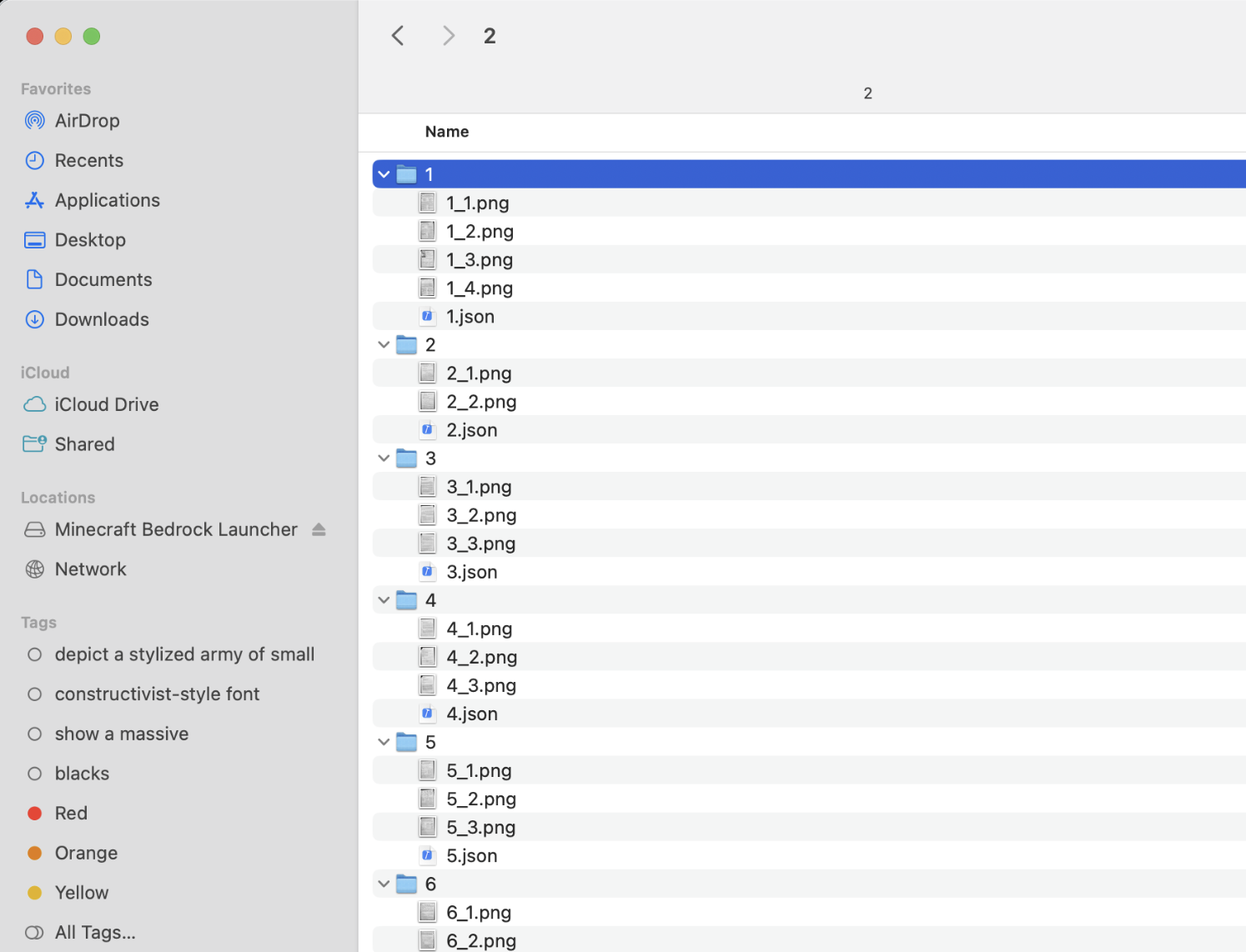
Cleaned pages plus one metadata file per packet. The frontend was not trying to be a generic note app. It rendered a grid of scanned pages and put the APUSH-specific filters at the bottom: period, theme, document type, and text search. A note detail page showed the scan next to the extracted title, period, summary, tags, themes, and document type.
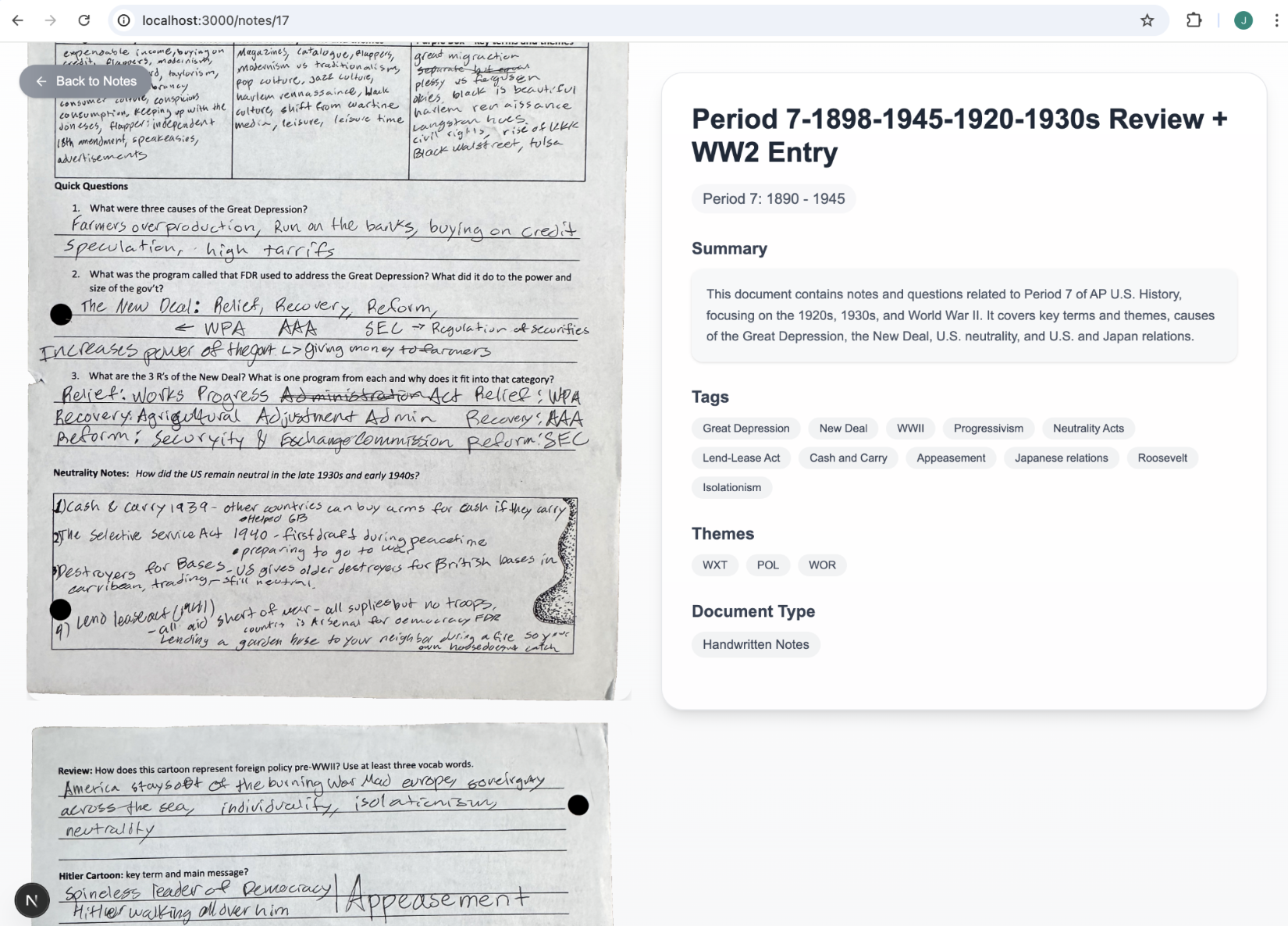
The payoff: handwritten paper beside searchable structured context. Because the first version shipped all data statically, the build folder got huge. Vercel was the obvious host until the deployment failed under the weight of the notes. The architecture was convenient locally and expensive at deploy time.
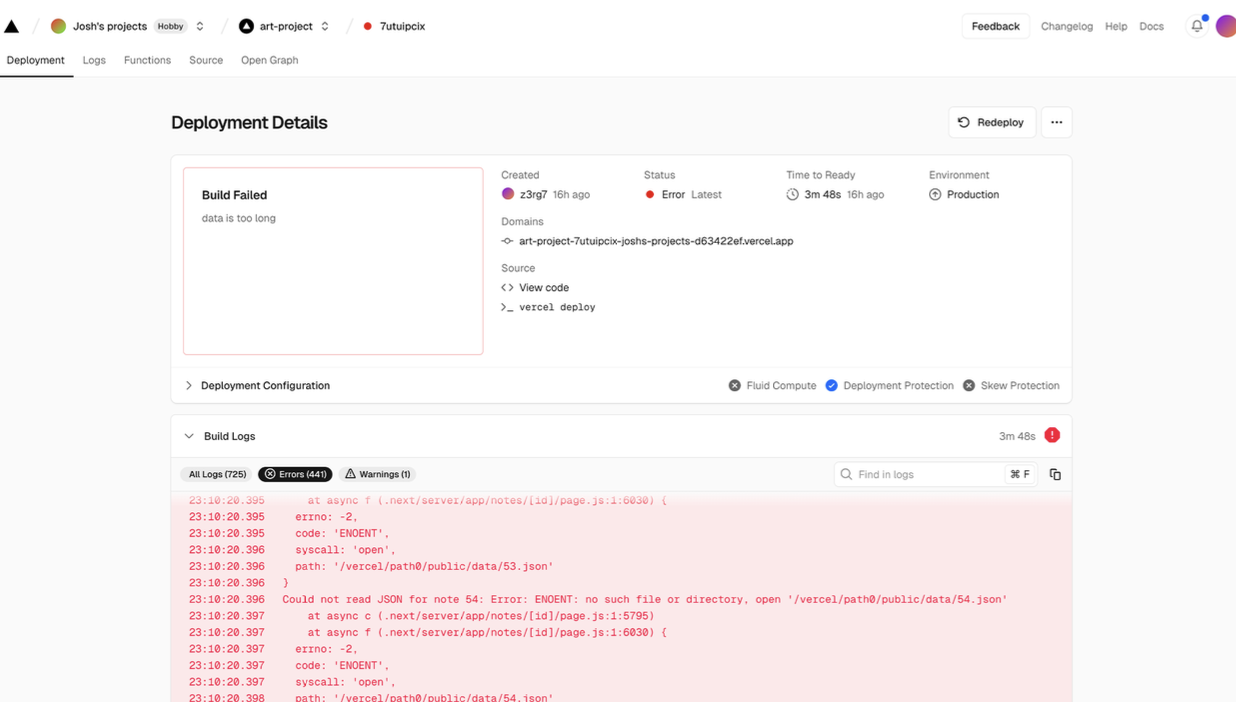
The static-data shortcut hit the hosting wall. DreamHost could host the files, so learnq.org became the public version. It worked best as my own localhost tool, though. On DreamHost the certificate was flaky, and hydration sometimes lagged long enough that clicking a note changed the URL while the home grid kept rendering.
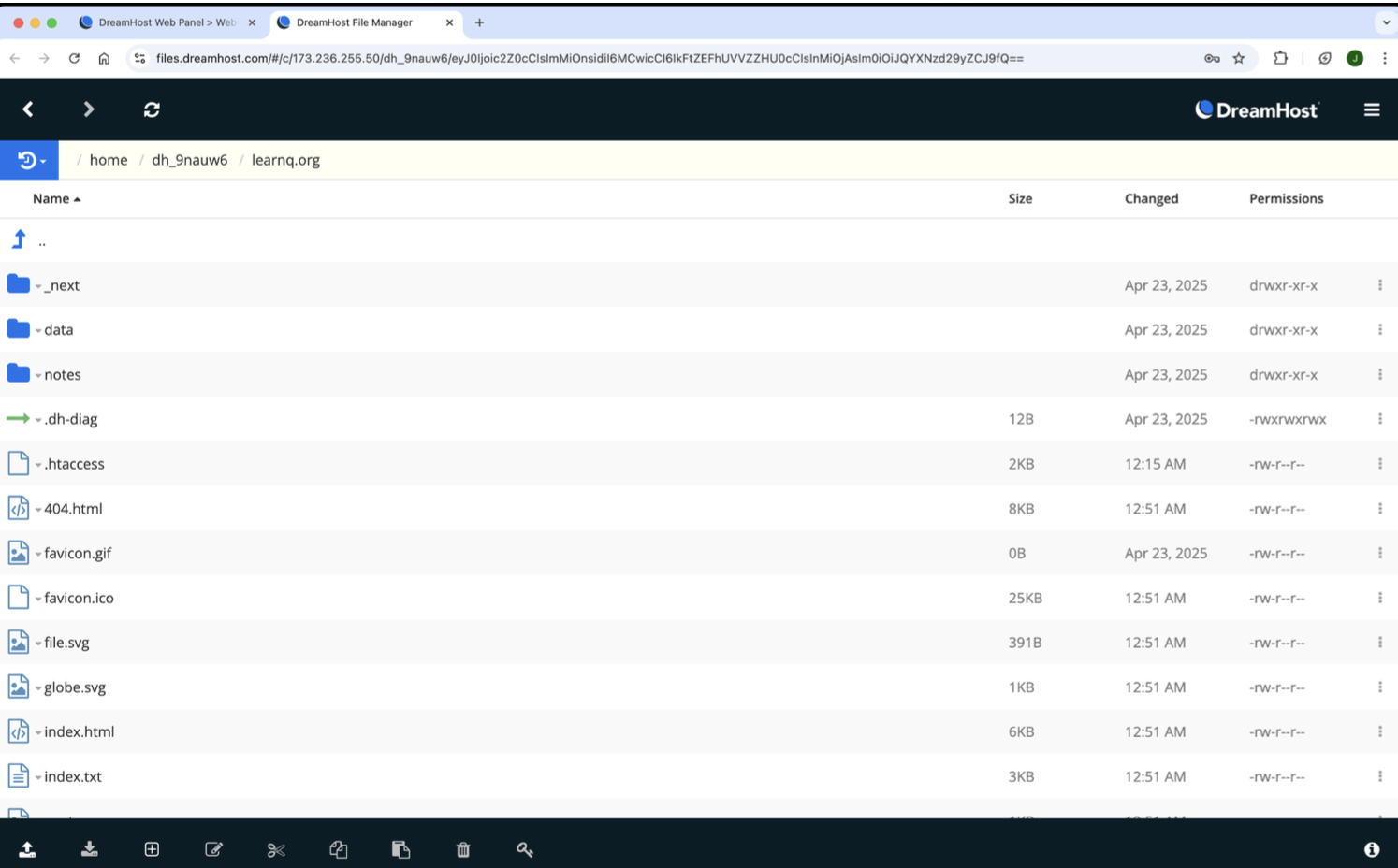
Static files uploaded into DreamHost. 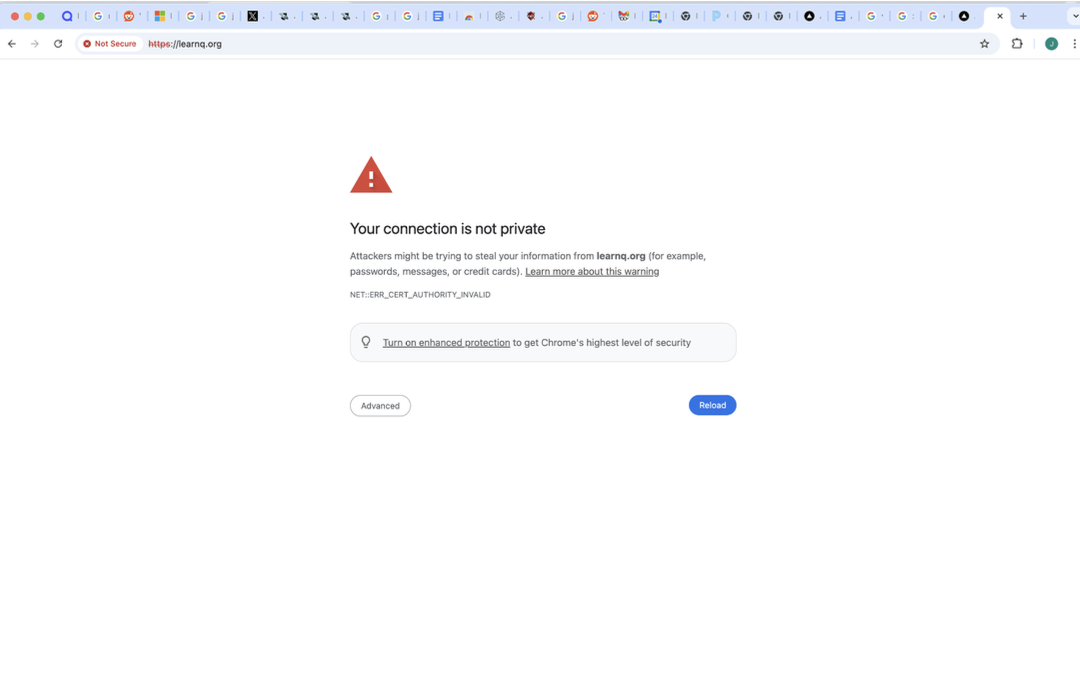
The certificate issue that made the public version feel fragile. 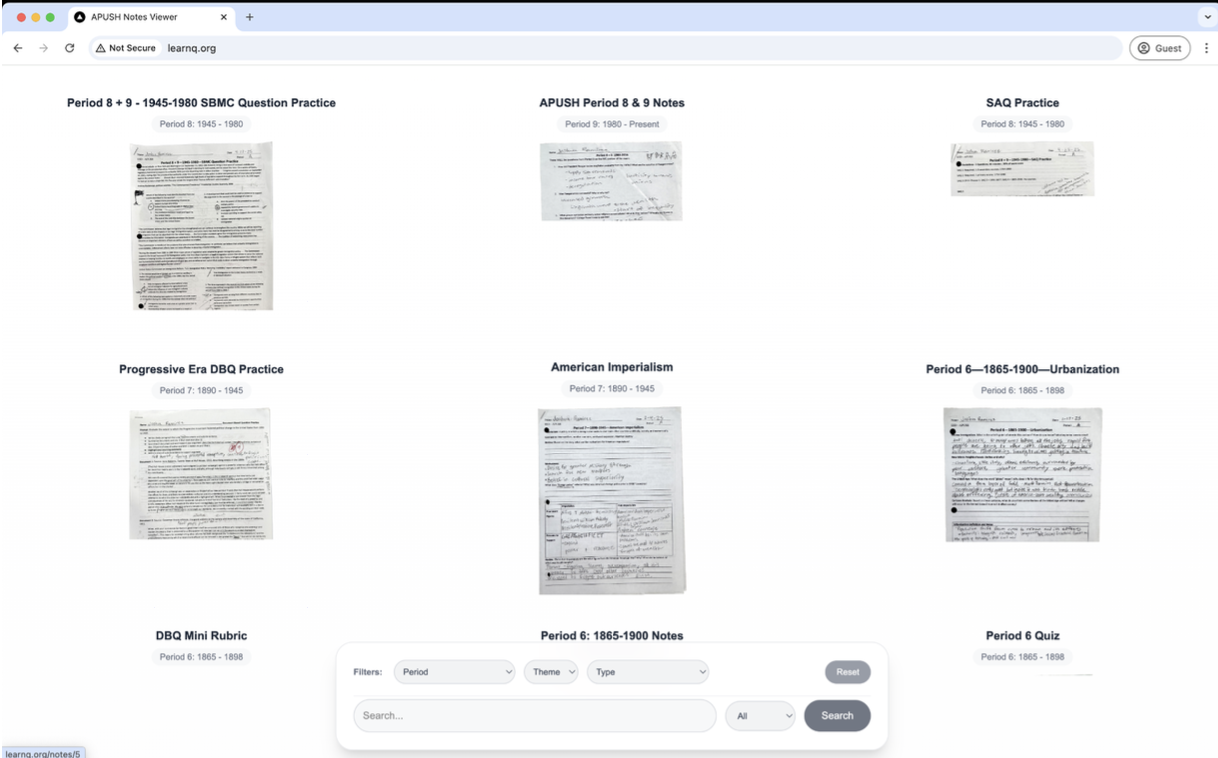
The link changed before the page reliably did. The core loop worked better than expected. I could run the script, leave it alone, and come back to packets that had been OCRed, summarized, tagged, and filed. Searching my own APUSH notes by period was immediately useful, even if the public deployment was not the final shape.
From the gallery
What I came back with
Lesson from the terrain
This was the first LLM workflow that felt obviously useful instead of futuristic for its own sake. The model was good at the boring clerk work: reading messy pages, extracting key terms, choosing a period, and returning valid structured output again and again. The weak part was architecture, not intelligence. Baking every scan and JSON file into the frontend made the app easy to build and easy to use on localhost, but it made hosting brittle. The next version wants Supabase for metadata, compressed thumbnails for the grid, and a thinner frontend that fetches notes instead of carrying the whole binder in the build.